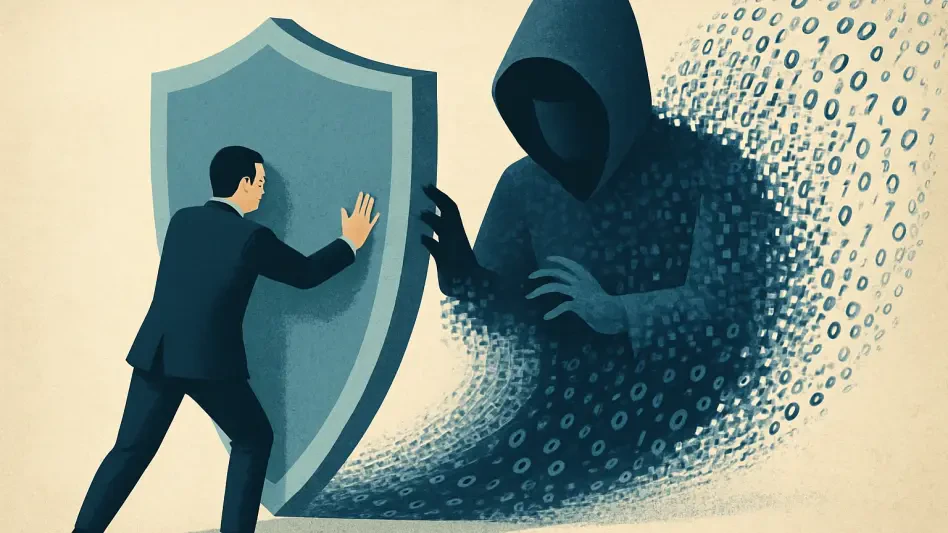

Unlike standard computer viruses that self-replicate, remote access trojans function as silent gateways for threat actors to manipulate files and install additional malware. Imagine sitting at your desk and noticing the mouse cursor slide across the screen without any physical input, or seeing the small indicator light on a built-in webcam flicker to life while no video applications are active. These are not merely technical glitches; they represent a fundamental breach of digital privacy through a Remote Access Trojan (RAT). This specific category of malicious software provides an attacker with complete administrative control over a target system, often without leaving an obvious footprint for the average user to notice. In the current cybersecurity landscape of 2026, threat actors have refined these tools to bypass standard detection methods, making them one of the most persistent dangers for personal computers and enterprise networks alike. Understanding how these programs infiltrate systems and knowing the precise steps to eradicate them is essential for maintaining a secure digital environment. By being proactive and employing modern defense technologies, individuals can shield their sensitive information from being harvested by anonymous operators who specialize in these covert and highly invasive digital intrusions.
1. Defining the Nature of Remote Access Trojans
A Remote Access Trojan is a specialized form of malicious software designed to provide an unauthorized user with a hidden entry point into a computer or network. The name is derived from the ancient Greek strategy of the Trojan Horse, as the malware often arrives disguised as legitimate or harmless software to trick the user into granting it entry. Once a RAT is executed, it functions as a back-end server, allowing a remote operator to execute commands, view files, and control the hardware as if they were physically present at the machine. This level of access goes far beyond simple data theft, as it effectively turns the victim’s device into a tool for the attacker. Because these programs are built for stealth, they often operate in the background for extended periods, remaining invisible while they exfiltrate data or monitor user activity. This capability makes them particularly dangerous compared to more overt forms of malware, as the user may remain completely unaware of the compromise until significant damage has already occurred across their various digital accounts and sensitive personal files.
The distinction between a RAT and a legitimate remote access tool is defined entirely by the presence of user consent and authorization. Programs like Microsoft Remote Desktop or TeamViewer are widely used by IT professionals for technical support and by employees for remote work, operating with clear visibility and permission. In contrast, a RAT is installed and operated covertly, often disabling security notifications to keep the user in the dark. From a technical standpoint, a RAT is categorized as malware but should not be confused with a biological computer virus. While a virus is programmed to replicate and spread by infecting other files on a disk, a Trojan does not self-replicate. Furthermore, while spyware is designed primarily to observe and record information, a RAT provides a much broader range of interactive capabilities. Although many RATs include spyware features like keyloggers and screen capture tools, their primary defining characteristic is the ability of a remote hacker to exert active, real-time command over the entire operating system and its connected hardware.
2. The Operational Lifecycle of an Infection
The initial stage of a RAT infection involves the malware finding a way to breach the target device through various deceptive channels. Attackers frequently use infected downloads, where malicious code is bundled with a seemingly useful utility, a free game, or a modified version of a popular application. Phishing remains another highly effective delivery method, utilizing urgent messages that contain links to malicious websites or attachments that trigger an automatic installation when opened. In more sophisticated scenarios, attackers might exploit unpatched security flaws in the operating system or browser, allowing the malware to install itself without any direct interaction from the user. This variety of entry points highlights the importance of maintaining a cautious approach to all incoming digital communications and ensuring that all software is obtained only from official and verified developer sources. Once the RAT is successfully launched on the machine, it typically integrates itself into the system’s startup routine to ensure that it remains active even if the computer is restarted.
After establishing its presence on the device, the RAT must connect to an external entity to receive instructions and send back stolen data. This is achieved by reaching out to a command-and-control (C2) server, which acts as the central hub for the attacker’s operations. This persistent link allows the hacker to send real-time commands to the infected host and receive continuous updates on the user’s activities. Modern RATs are often programmed to use common Internet protocols to blend their traffic with legitimate web browsing, making it difficult for standard firewalls to identify malicious communication. Once this stable link is confirmed, the attacker gains the ability to browse local folders, interact with operating system settings, and manipulate resources with administrative privileges. This level of control is often maintained through persistence mechanisms, such as modifying the Windows Registry or creating scheduled tasks, ensuring that the malware stays hidden and functional for as long as possible while avoiding detection by basic security utilities.
3. Assessing System Risks and Potential Damage
The risks associated with a RAT infection are diverse and can vary significantly depending on the attacker’s motives and the specific capabilities of the software used. One of the primary threats is the large-scale theft of sensitive data, including login credentials for banking portals, private emails, and cryptocurrency wallet keys. By using integrated keyloggers, an attacker can record every keystroke the victim makes, effectively capturing passwords as they are typed. Beyond data theft, RATs are frequently used for invasive surveillance, allowing hackers to take unauthorized screenshots of the desktop or hijack the device’s microphone and webcam. This form of digital stalking can lead to severe privacy violations and potential extortion attempts. Furthermore, a compromised machine can be used as a staging ground for wider attacks, such as downloading and installing even more destructive malware like ransomware, which can lock users out of their digital lives until a payment is made.
In addition to direct theft and surveillance, a Remote Access Trojan (RAT) can be used to manipulate a victim’s files and network traffic for broader malicious purposes. An attacker with administrative access can create, edit, or delete critical documents and system files, potentially causing irreparable damage to the operating system’s stability. More subtly, the RAT can be configured to use the victim’s device as a proxy or a node in a botnet. This allows the hacker to route their own internet traffic through the compromised connection, making their illegal activities appear to originate from the victim’s IP address. This tactic is often employed to hide the source of cyberattacks on other organizations or to perform click fraud and generate ad revenue. By exploiting system resources in this way, the attacker not only compromises the user’s privacy but also puts them at risk of being flagged for suspicious activity by internet service providers or law enforcement agencies tracing the hacker’s movements.
4. Identifying Subtle Indicators of Compromise
Because Remote Access Trojans are built with stealth as a core requirement, detecting them requires a high level of vigilance and an eye for subtle system anomalies. One of the most common red flags is the sudden appearance of browser redirects, where your web browser automatically sends you to unfamiliar or suspicious websites. This often indicates that a malicious process is intercepting your web traffic to steal data or serve ads. Another significant sign is a sudden and unexplained drop in system performance, characterized by high resource usage or frequent freezing. If your computer feels unusually sluggish or the cooling fans are running at high speeds while the device is idle, it could be a sign that a RAT is performing intensive tasks in the background. Furthermore, if your antivirus or firewall software repeatedly turns off without your input, it is a strong indication that malware has gained sufficient privileges to disable your primary defenses.
Network activity can also provide critical clues regarding a hidden infection, as a RAT must communicate with its operator to remain effective. If you notice large spikes in data usage during times when you are not actively using the internet, your device might be exfiltrating files or serving as a proxy for an attacker. Additionally, keep a close eye on your system’s background processes; the presence of unfamiliar applications or processes with strange names should always be investigated. Hardware behavior is another major indicator, particularly regarding peripherals like webcams or microphones. If the camera light turns on unexpectedly, it is a clear warning that an external party may be accessing the hardware. While some of these signs can occasionally be attributed to legitimate software updates or minor technical bugs, a combination of multiple “red flags” at once is a compelling reason to disconnect the machine from the network and perform a comprehensive security audit to ensure that your private data has not been compromised.
5. Systematic Removal and Recovery Procedures
If you have confirmed or strongly suspect that a Remote Access Trojan is active on your device, it is crucial to follow a structured recovery sequence to ensure the threat is completely eliminated. The removal process involves the following critical steps:
- Sever the connection: Immediately disable Wi-Fi or physically disconnect the Ethernet cable to stop the attacker from communicating with your system.
- Stop sensitive tasks: Stop using the machine for banking, email, or any activity that requires entering a password.
- Perform a deep scan: Use a reputable antivirus tool to run a full system check, opting for an offline scan if the software supports it.
- Remove unknown software: Review your installed programs and manually remove any applications that you do not recognize or did not install.
- Update credentials: From a different, clean device, change all of your major passwords, focusing first on your email and password manager.
- Monitor accounts: Check your financial statements and login history for any unauthorized activity or suspicious login attempts.
- Format the drive: If the infection persists despite these efforts, perform a full factory reset or a clean installation of the operating system.
Executing these steps in order is vital because simply running a scan might not be enough if the attacker still has an active connection and can counteract your defensive actions. By disconnecting from the internet first, you effectively lock the door while you search the house for the intruder. The process of updating passwords from a secondary device is equally important, as any credentials changed on the infected machine could be captured by the RAT’s keylogger and immediately sent back to the attacker once the connection is restored. In some sophisticated cases, the malware may bury itself so deeply within the system files that a standard antivirus program cannot reach it, making the final step of formatting the drive the only guaranteed way to ensure that every trace of the malicious code is destroyed. This “nuclear option” requires that you have a secure backup of your personal files, which should be scanned for malware before being transferred back to the newly wiped and reinstalled operating system.
6. Strengthening Long-Term Defensive Strategies
Preventing a RAT infection is far more efficient than attempting to recover from one, and it begins with adopting a zero-trust mindset toward digital communications. Always verify the legitimacy of any link or attachment before clicking, especially if the message creates a false sense of urgency or comes from an unexpected sender. Maintaining consistent software hygiene is another cornerstone of a robust defense; ensure that your operating system and all installed applications are set to update automatically. These updates often contain critical security patches that close vulnerabilities attackers exploit to install RATs without user intervention. Furthermore, sticking to official software sources—such as the Microsoft Store, Mac App Store, or direct developer websites—significantly reduces the risk of downloading a package that has been secretly bundled with malicious code. Avoiding pirated software or “cracked” versions of expensive apps is particularly important, as these are among the most common delivery vehicles for Trojans today.
Beyond software practices, physical and network-level protections add an extra layer of security that can thwart even sophisticated attackers. Utilizing a physical cover for your webcam is a simple yet highly effective way to ensure that, even if a RAT gains access to your hardware, your visual privacy remains intact. On the network side, ensuring your firewall is properly configured and active is essential for blocking unauthorized incoming and outgoing connections. While a VPN is not an antivirus tool and cannot remove existing malware, it plays a vital role in protecting your data from local eavesdropping when using public Wi-Fi networks. By encrypting your traffic, a VPN prevents hackers on the same network from intercepting your data or redirecting you to malicious sites where a RAT might be hosted. Combining these technological solutions with multi-factor authentication on all sensitive accounts ensures that, even if an attacker manages to steal a password through a keylogger, they will still be unable to gain access to your digital identity without the second verification factor.
7. Addressing Common Vulnerability Inquiries
Many users wonder about the specific mechanics of these threats and how they differ from other digital dangers. A Remote Access Trojan is essentially a tool for total control, enabling a hacker to act as a phantom administrator of your system. They use it to monitor your screen, record your voice, and steal your most private files. Unlike a standard virus that might just delete data to cause chaos, a RAT is a tool for strategic exploitation. It is specifically designed to be as stealthy as possible so the attacker can continue their work for weeks or even months. This is why standard detection can be difficult; the malware does not announce its presence through loud pop-ups or obvious crashes. Instead, it waits in the shadows, making the detection of subtle performance shifts and network anomalies your first line of defense. The best way to identify such a threat is to use high-quality security software that performs behavioral analysis rather than simply looking for known file signatures that attackers can easily change.
Removing a RAT is a process that requires both patience and precision. While a standard antivirus scan can often pick up common versions of these programs, some modern variants are designed to hide within legitimate system processes. This is why, if the infection seems persistent or if you notice signs of compromise after a scan, a full system wipe is often recommended by security experts. Once the system is clean, the focus shifts to preventing a recurrence. This is achieved by closing the doors that allowed entry in the first place, such as unpatched software or careless clicking. The digital landscape in 2026 has shown that as defensive technology improves, so do the methods used by those who create Trojans. By staying informed about the latest phishing tactics and maintaining a multi-layered defense strategy, you can enjoy the benefits of a connected world without falling victim to those who seek to exploit it. Consistency in your security habits is the most effective shield you have against the ever-evolving threat of remote access malware.
The evolution of remote access trojans throughout the early 2020s and into 2026 demonstrated that static defenses were no longer sufficient for complete protection. Users who prioritized multilayered security and maintained awareness of evolving phishing tactics were generally better prepared to handle these stealthy threats. By reviewing account security periodically and covering hardware peripherals like cameras, individuals regained control of their digital sovereignty. It became clear that the most effective way to address the risks posed by such invasive software was a combination of technological tools and informed user behavior. The digital security landscape remained a constant competition between attackers and defenders, but those who implemented rigorous hygiene and remained vigilant ensured their data remained private. Ultimately, the lessons learned from managing RAT infections shaped more resilient architectures and fostered a culture of zero-trust security that defined the mid-2020s. Taking these proactive steps helped secure the digital ecosystem for years to come.