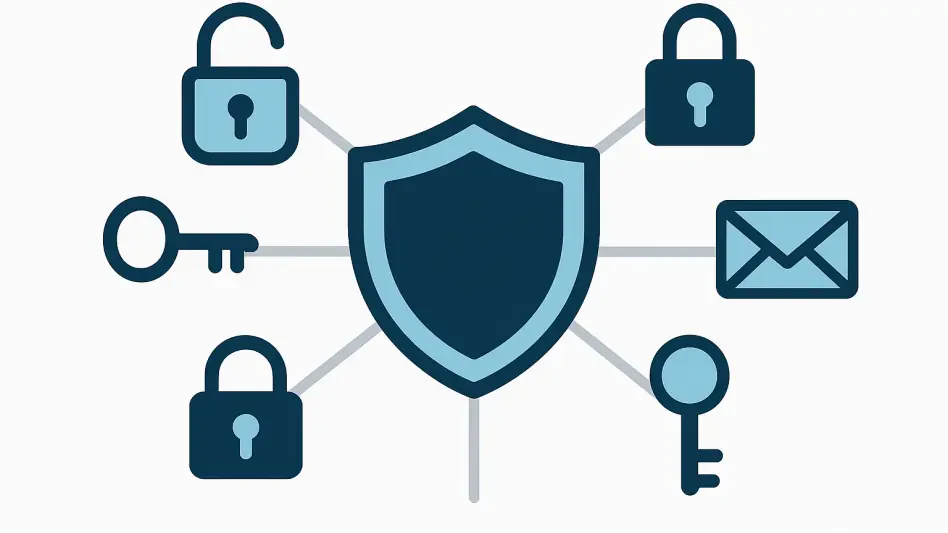
Beyond simple password creation, the Bitwarden generator integrates with services like SimpleLogin and Firefox Relay to create unique email aliases that shield primary addresses from potential data breaches and marketing trackers. In the current cybersecurity landscape of 2026, where automated credential stuffing and sophisticated social engineering are becoming the norm, relying on a single, human-readable email address across multiple platforms constitutes a significant security liability. Bitwarden addresses this by serving as a centralized hub for generating not just complex strings of characters, but entire digital identities. The application’s 2026.7.x update cycle has introduced a more seamless integration with these third-party alias providers, allowing users to spin up a new identity the moment they encounter a registration form. This proactive approach to digital hygiene ensures that even if a specific service experiences a data leak, the impact is isolated to a single, disposable alias that can be deactivated instantly. Moreover, the tool’s ability to generate these credentials across various devices—from browser extensions to mobile applications—means that security is never sacrificed for the sake of convenience. By understanding the full breadth of these features, individuals can transition from basic password management to a robust framework of identity obfuscation.
The importance of a centralized generator cannot be overstated when considering the sheer volume of accounts the average person manages in 2026. Modern digital life requires a constant stream of new logins for everything from grocery apps to professional networking sites, and the manual creation of unique secrets for each is a psychological impossibility. Bitwarden mitigates this burden by providing a cryptographically secure source of entropy that is readily accessible within any workflow. Whether a person is using the web vault for bulk account organization or the quick-access sidebar in a browser for a fast signup, the generator remains a consistent and reliable companion. The evolution of the tool has kept pace with the increasing computational power available to attackers, ensuring that the randomness provided meets the latest standards for cryptographic strength. By leveraging these integrated features, users effectively neutralize the threat of password reuse, which remains the leading cause of unauthorized account access. The transition to this automated system is the first and most critical step in establishing a resilient defense against the evolving threats found in the modern internet ecosystem.
1. Accessing the Primary Generation Toolset
The most frequent point of interaction with the Bitwarden password generator occurs through the browser extension, which serves as the frontline tool for most individuals during their daily browsing activities. After logging into the extension on a browser such as Chrome, Firefox, or Safari, one can navigate to the dedicated Generator tab, typically identified by a circular arrow icon located at the bottom or top of the navigation bar. This interface provides an immediate view of a freshly generated password, which can be copied to the clipboard with a single click or customized using the available adjustment sliders. In version 2026.7.0, the interface has been refined to emphasize speed and accessibility, ensuring that the process of generating a new secret does not interrupt the user’s primary task. Beyond the standalone tab, the generator is also embedded directly within the login item creation screen, allowing for the generation and immediate saving of a new password without ever leaving the context of the vault entry being edited.
For those who prefer a more comprehensive management experience, the Bitwarden web vault offers an expanded version of the generator accessible from the sidebar navigation. This web-based tool is particularly useful when performing periodic audits of one’s digital security or when managing shared credentials within an organization. Additionally, the desktop application mirrors this functionality, providing a robust environment for offline generation and vault management. For mobile users on Android or iOS, the generator is integrated into the Bitwarden application and can be invoked through the native autofill services of the operating system. This cross-platform availability ensures that a secure, randomly generated password is never more than a couple of taps away, regardless of whether one is using a high-powered workstation or a mobile device while on the move. The consistency of the interface across these different platforms reduces the learning curve and encourages a uniform security posture across all of a person’s digital touchpoints.
2. Choosing Between Password and Passphrase Modes
When initiating the generation process, the first decision to make is whether to create a character-based password or a word-based passphrase. Character-based passwords are the traditional choice, consisting of a dense, random string of uppercase letters, lowercase letters, numbers, and specialized symbols. These are generally considered the most secure option for accounts that will be accessed primarily through autofill technology, as their complexity makes them highly resistant to brute-force attacks while their unreadability is mitigated by the password manager’s ability to input them automatically. In the 2026.7.0 release, Bitwarden has optimized the character generation algorithm to ensure high entropy even at shorter lengths, though the current industry standard remains at least sixteen characters for most personal accounts and twenty or more for sensitive financial or professional portals.
In contrast, the passphrase mode offers a sequence of random words separated by a chosen character, such as a hyphen or a period. This method is increasingly favored for credentials that must be memorized or typed by hand, such as the Bitwarden master password or a secondary device unlock code. The security of a passphrase is derived from its length rather than its complexity; a sequence of five or six unrelated words creates a mathematical search space that is exceptionally difficult for current computing hardware to navigate. Because humans are naturally better at remembering words than abstract strings of symbols, a passphrase like ‘Cactus-Ranger-Tundra-Marble-Falcon’ provides a high level of security without the frustration of constant transcription errors. Bitwarden allows for deep customization of these phrases, including the ability to capitalize words or include random numbers, ensuring they meet the specific validation requirements of various websites while maintaining a high degree of usability.
3. Configuring Advanced Character Options
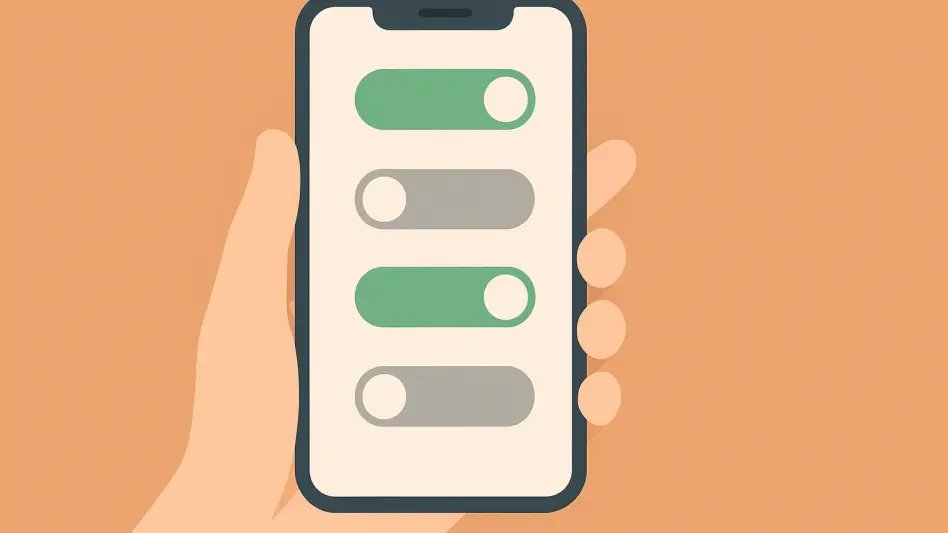
When an individual decides to delve into the configuration of character-based strings, the Bitwarden interface provides an expansive array of sliders and toggles designed to meet even the most stringent platform requirements. For instance, the length slider, which currently supports up to 128 characters, allows for the creation of passwords that are mathematically impossible to crack through traditional brute-force methods within several lifetimes. In the current cybersecurity environment of 2026, the standard recommendation has shifted toward a minimum of 16 to 20 characters to account for the increasing speed of specialized hardware. Bitwarden also includes granular controls for uppercase letters, lowercase letters, numbers, and specialized symbols, enabling the user to satisfy the arbitrary ‘complexity rules’ often enforced by legacy banking portals or governmental sites. A particularly useful feature is the toggle for avoiding ambiguous characters, which removes easily confused glyphs such as the numeral zero and the uppercase letter O, or the lowercase L and the digit one.
This specific setting for avoiding ambiguity is invaluable for credentials that might need to be transcribed by hand or communicated over a secure voice line during a technical support session. Furthermore, the inclusion of a ‘minimum’ count for specific character types ensures that a generated password will always contain the necessary number of symbols or digits required by a site’s specific validator, preventing the frustration of having a randomly generated string rejected by an overly sensitive web form. Bitwarden also maintains a history of recently generated passwords, which serves as a safety net in case a user generates a new secret but fails to save the vault item before navigating away from the page. This history feature is localized to the specific device and session, maintaining a balance between convenience and security. By mastering these granular settings, users can create tailored credentials that are perfectly suited for the specific limitations and requirements of each digital service they encounter.
4. Customizing Word-Based Passphrases for Human Memory
Passphrases represent a fundamental shift in how people approach memorizable security, and Bitwarden’s implementation provides several options to maximize both strength and recall. Within the passphrase generator, one can select the number of words to include in the sequence, with five or six words being the current recommended standard for high-security accounts. The choice of a separator character is also significant; while hyphens are the default, users can choose spaces, periods, or even custom characters to meet the formatting constraints of specific services. This flexibility is essential because some systems may reject spaces but accept underscores, and being able to adjust this setting during the generation phase saves significant time. The 2026.7.0 update also ensures that the wordlists used are curated to avoid offensive or confusing terms, providing a clean and professional experience for all users.
Additionally, the option to capitalize each word or include a random number within the passphrase helps in meeting the complexity requirements of websites that have not yet modernized their security policies to favor length over character variety. For example, adding a random digit to a five-word passphrase significantly increases the total entropy without adding a significant burden to the user’s memory. This approach aligns with the latest recommendations from national cybersecurity agencies, which emphasize that long, easy-to-remember phrases are far more effective than short, complex strings that users are likely to write down or reuse. By utilizing the passphrase generator for master passwords and other frequently typed secrets, individuals can significantly reduce their reliance on insecure practices while maintaining a high level of protection against the computational threats that define the landscape of 2026.
5. Integrating Email Aliases and Unique Usernames
A standout feature of the Bitwarden generator is its ability to create unique identifiers beyond just passwords, specifically through the generation of email aliases and custom usernames. Within the Username section of the generator, users can opt for several modes of identification that prevent a single email address from becoming a point of failure. The most basic of these is the generation of random words or characters to serve as a username for forums or services where a real name is not required. However, the more advanced integration with alias services such as SimpleLogin and Firefox Relay provides a powerful defense against tracking and data breaches. By connecting an API key from one of these services to Bitwarden, the generator can automatically spin up a new, forwarded email address for every new account. This ensures that the user’s primary, personal email remains private and is never exposed to the marketing databases or potential leaks of third-party vendors.
For those who do not use a dedicated alias service, Bitwarden also supports ‘plus-addressing’ for compatible providers like Gmail or Outlook. This method appends a unique suffix to the user’s email address, such as ‘[email protected],’ allowing for easy filtering and identification of the source of any incoming spam or leaked data. While plus-addressing is less anonymous than a full alias service, it provides a much-needed layer of organization and accountability for one’s digital presence. In 2026, where data is often traded as a commodity, these tools are essential for anyone looking to maintain a semblance of privacy. By using a unique alias for every service, an individual can easily trace exactly which company sold their data or suffered a breach, and they can cut off the flow of unwanted emails by simply deleting the specific alias associated with that service. This level of control is a hallmark of a mature and sophisticated approach to online security.
6. Implementing Proper Storage and Input Workflows
The utility of a generated password is only as good as the process used to save and retrieve it. A common pitfall is generating a password in the standalone generator tab, copying it, and then failing to successfully update the account on the target website or save the change in the Bitwarden vault. To avoid this, the most effective workflow involves using the generator directly within the ‘Add Item’ or ‘Edit Item’ screens. By clicking the small refresh icon next to the password field in the vault entry, the user can generate a new string that is automatically populated into that field. Once the user clicks ‘Save,’ the credential is secured in the vault before it is even used on the website. This ‘vault-first’ approach ensures that there is never a moment where a new, complex password exists only on the clipboard or in the volatile memory of a browser tab.
Furthermore, Bitwarden’s browser extension includes an autofill notification feature that detects when a user is on a registration page and offers to generate a password for them. When the user accepts this prompt, the extension not only fills the field on the website but also creates a new vault item with the correct URL and username. This automation reduces the friction of creating secure accounts and minimizes the risk of human error. If a password is ever lost due to a browser crash or a failed save, the ‘Password History’ feature within each vault item serves as a critical recovery tool. This history log maintains a record of the last several passwords generated for that specific entry, allowing a user to recover a previous secret if a site’s password change process fails mid-way. In the fast-paced digital environment of 2026, these robust recovery and save mechanisms are essential for maintaining a reliable and stress-free security experience.
7. Auditing the Vault for Legacy Security Risks
Maintaining a secure vault is an ongoing process that extends beyond the initial generation of new passwords. Bitwarden provides a suite of Vault Health Reports that are essential for identifying legacy risks, such as weak, reused, or compromised credentials that may have been imported from less secure systems. The ‘Exposed Passwords’ report is particularly critical; it uses the k-anonymity protocol to check vault entries against a vast database of known data breaches without ever exposing the actual passwords to the service. If a match is found, the user is alerted to the exact account that needs a new, generated password. This proactive auditing is a necessity in 2026, as old accounts that were created before a user adopted a password manager often remain vulnerable points of entry for attackers.
The ‘Reused Passwords’ and ‘Weak Passwords’ reports are equally important for overall vault hygiene. Reused passwords are a primary target for credential stuffing attacks, where a breach on one site is used to gain access to many others. By identifying these clusters of reuse, a user can systematically go through the list and replace each duplicate with a unique, high-entropy string from the generator. The weak password report highlights entries that fall below modern security standards, such as those that are too short or lack sufficient complexity. While these advanced reporting features typically require a premium subscription, the value they provide in terms of peace of mind and concrete security improvements is significant. Regularly running these reports and acting on their findings ensures that the strength of a user’s security posture remains consistent as the threats they face continue to evolve.
8. Leveraging the Command-Line Interface for Power Users
For developers, system administrators, and tech-savvy individuals, the Bitwarden Command-Line Interface (CLI) offers a way to interact with the generator and vault that is far more powerful than the standard graphical interface. By installing the CLI via a package manager such as npm, users can integrate password generation directly into their terminal workflows and automation scripts. The command bw generate can be used with various flags to produce strings that meet specific requirements, such as --length 32 or --symbols. This is particularly useful for setting up new servers, generating API keys, or managing credentials for environment variables where a GUI is not available. The CLI’s 2026.7.0 version has seen significant improvements in performance and security, including better handling of session keys and improved compatibility with modern shell environments.
To use the CLI effectively, one must first authenticate using bw login and then unlock the vault with bw unlock. This process generates a session key that must be exported as an environment variable to authorize subsequent commands. Once unlocked, the CLI allows for the batch creation and modification of vault items, which can be a massive time-saver when migrating large numbers of accounts or performing a complete overhaul of one’s security setup. The ability to pipe the output of the generator into other terminal tools or scripts allows for a level of customization and automation that is simply not possible with a mouse and keyboard. This transition to a command-driven workflow represents the peak of Bitwarden mastery, enabling a user to manage their digital security with the same precision and speed that they apply to their professional technical tasks.
9. Creating Automation Scripts for Bulk Password Updates
Building upon the capabilities of the CLI, users can create sophisticated automation scripts to handle bulk password rotations or security updates. For instance, a bash script can be written to read a list of account IDs from a text file and then use the bw get item and bw edit item commands to systematically update their passwords. By combining these commands with a tool like jq for parsing JSON data, a user can automate the entire process of identifying a weak password, generating a new one, and updating the vault entry. This is particularly useful following a major service breach where multiple accounts might be at risk. It is important to remember, however, that while the script can update the Bitwarden vault, the user must still manually update the password on the actual website, as most services do not yet support an automated protocol for remote password changes.
The logic of such a script usually involves fetching the current item’s details, generating a new password using the parameters defined by the user, and then pushing the updated JSON object back to the Bitwarden server. In 2026, these scripts have become more reliable thanks to the stability of the Bitwarden API and the extensive documentation provided by the community. Advanced users can even schedule these scripts to run periodically to check for vault health or to rotate sensitive credentials on a regular basis. This proactive, automated approach to security management reduces the likelihood of human error and ensures that the most critical accounts are always protected by fresh, high-entropy secrets. Mastering this level of automation demonstrates a deep commitment to digital security and provides a robust framework for managing the complexities of a modern, multi-account online identity.
10. Configuring Organizational Policies for Teams
In a professional or organizational context, the Bitwarden generator is a key tool for enforcing security standards across a workforce. Administrators can use the Admin Console to set specific policies that dictate how members of the organization generate and store their passwords. For example, a ‘Password Generator’ policy can be enabled to set a minimum length and complexity level for all passwords created within the organization’s collections. This ensures that every team member, regardless of their individual technical knowledge, is adhering to the company’s security requirements. In 2026, where corporate data breaches are more costly than ever, these centralized controls are a fundamental component of a modern cybersecurity strategy. By mandating the use of the generator, an organization can effectively eliminate the risk of employees choosing ‘123456’ or other easily guessable strings for sensitive internal accounts.
Beyond just password complexity, administrators can also configure policies regarding the use of email aliases and the sharing of credentials. By encouraging the use of unique identifiers for third-party professional services, an organization can reduce its overall attack surface and improve its ability to track the source of any potential leaks. These policies are not just about restriction; they are about providing employees with the tools and guidelines they need to work safely in a digital environment. When everyone in a team is using the same high-standard generation tool, the overall security of the organization is significantly strengthened. This collective approach to security, driven by centralized policy and supported by robust individual tools like the Bitwarden generator, is the gold standard for institutional protection in the current era.
11. Troubleshooting Common Generation and Input Challenges
Despite the sophistication of the Bitwarden generator, users may occasionally encounter challenges when interacting with specific websites or applications. One of the most common issues is a site rejecting a generated password because it contains symbols that the site’s legacy database cannot handle. In such cases, the solution is to return to the generator settings and disable the ‘Special Characters’ toggle, or to manually remove the problematic symbol from the generated string. Another frequent hurdle is the maximum character limit imposed by some services; if a website only allows for 16 characters and the generator produces 20, the input will fail. Users should always take a moment to check the requirements listed on a site’s registration page and adjust the Bitwarden length slider accordingly to ensure a smooth signup process.
Sometimes, the Bitwarden browser extension may fail to show the generator icon within a specific web form due to the way the page is coded. When this happens, the most reliable workaround is to open the Bitwarden extension manually from the browser toolbar, navigate to the Generator tab, and then copy and paste the values into the form fields. For mobile users, if the native autofill service does not present the option to generate a password, switching directly to the Bitwarden app to create the credential and then returning to the target application is the best path forward. Understanding these common friction points and knowing how to navigate them prevents frustration and ensures that security is maintained even when dealing with poorly designed third-party interfaces. By staying adaptable and using the full range of Bitwarden’s access methods, users can overcome almost any technical barrier to secure account creation.
12. Strategic Advancements for Digital Identity Management
The successful mastery of the Bitwarden password generator was a journey that transitioned from simple random string creation toward a comprehensive philosophy of identity protection. Throughout the implementation of these various steps, it became evident that the tool was most effective when integrated deeply into one’s daily digital habits. By consistently utilizing the different modes of generation, such as passphrases for memorability and high-entropy strings for automated logins, a much more resilient barrier was established against the common threats of the digital age. The inclusion of email aliases and unique usernames further extended this protection, transforming the password manager from a mere storage locker into a proactive shield for personal privacy. This systematic approach ensured that the risks associated with data breaches were minimized, as each account remained isolated and uniquely identified within the vast landscape of the internet.
Moving forward, the focus shifted toward maintaining this high level of security through regular audits and the application of organizational policies where applicable. The use of the command-line interface and automation scripts represented a significant step up in capability, allowing for the management of complex digital footprints with a level of precision that was previously unattainable. These advancements provided the foundation for a sustainable security posture that could adapt to the changing tactics of malicious actors. Ultimately, the most important takeaway was the realization that digital safety was not a static destination but an ongoing practice of refinement and awareness. By continuing to leverage the evolving features of tools like Bitwarden, individuals and organizations alike positioned themselves to navigate the complexities of the modern world with confidence and peace of mind.