Rattling off the same easy password for streaming, shopping, and banking felt like a time-saver until that shortcut began acting like a neon “open” sign for automated break-ins that never sleep and rarely miss. Across New Jersey, the daily routine of logging in from a phone while standing on a train platform or at a diner counter masks a pattern attackers count on: short, predictable, and reused credentials that can be guessed by scripts in seconds. The tactic is not cinematic or clever; it is relentless. Tools pour through dictionaries, leaked lists, and common strings, hammering away at “123456,” “password123,” and “admin” before moving to short numeric runs and keyboard walks. Once a single account falls—often an email inbox—criminals pivot fast, triggering password resets across connected services. The first compromise becomes a jughandle into everything else, and traffic soon heads straight for payment cards, tax records, and identity data.
The Challenge: Automation, Reuse, and Real-World Fallout
Attackers lean on scale because it works, and it works because convenience still rules user behavior in homes and small offices from Newark to Cape May. A typical resident manages dozens of accounts, so repetition feels rational: one memorable phrase, a few predictable variations, maybe a swapped character at the end. Automated tools thrive on that pattern, slamming login portals with “first-try” favorites and known two-word combos harvested from breach corpuses. Bruteforce against rate-limited sites might stall, but credential stuffing—reusing stolen email/password pairs on other sites—moves like a truck on a wide-open turnpike. When the email account is caught, the blast radius expands: reset links arrive, security questions resurface, and backup codes long forgotten become skeleton keys. The script does not need to be a genius; it only needs the odds tilted by habit. And no, “cool beans” turned into a password with a “$” is still a soft target.
Compromise also unfolds quietly, without the flashing lights of a locked screen or a ransom note. A hijacked inbox forwards bank statements to a shadow folder, filters receipt emails, and observes spending patterns until just the right moment. An online payroll account stays intact while direct deposit details change minutes before a cycle hits. Retail accounts quietly add a shipping address two towns over, set to “default” for a midnight purchase. Even multi-factor authentication buckles when tied to that same email or a compromised phone number. The scene feels familiar to investigators: a weak or repeated password opened the door, password reuse invited guests, and automated tooling drove the getaway car. Along the way, the cultural chatter remains oddly local; a phishing lure referencing the “jughandle” at a known intersection lands because it sounds like the neighborhood, not a “jive turkey” scam dreamed up far away.
Next Steps for New Jersey Households
The most effective path forward was neither exotic nor expensive; it started with length, uniqueness, and better storage. Stronger passwords worked best as long, unpredictable passphrases—a string of unrelated words, mixed case, with judicious symbols and numbers—used once per account. Guidance mirrored current consensus: aim beyond 14 characters, avoid personal cues, and let a password manager generate and remember the rest. Email and banking took priority because they anchored resets and money movement. Replacing reused logins on those services first, then updating retail and utilities, created a buffer against cascading damage. Where offered, hardware-backed or app-based multi-factor methods beat SMS. Even small details, like revoking old “remember this device” tokens, hardened the edge. This was not about being perfect; it was about removing easy wins from the attacker’s playbook, then keeping that discipline.
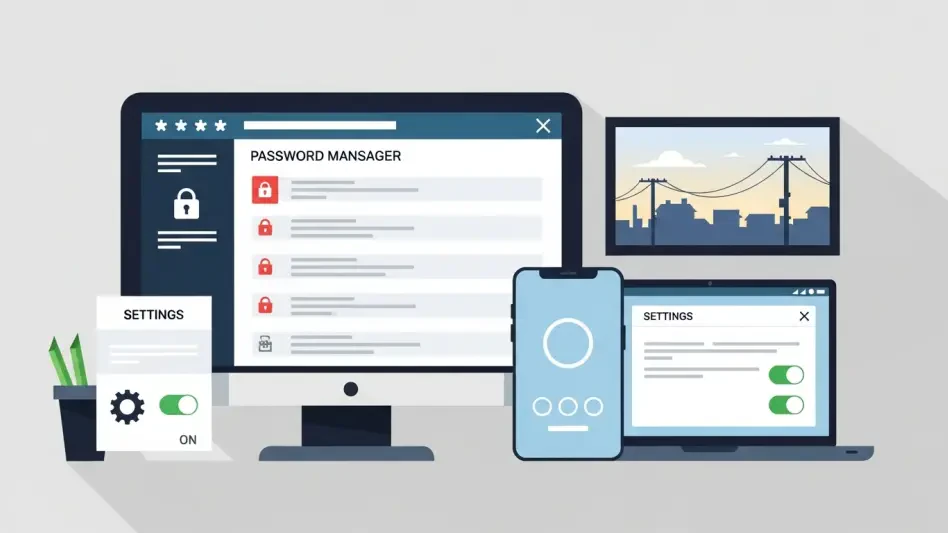
Implementation flowed better when tied to weekly habits. A short session set aside for two updates at a time prevented burnout and, crucially, limited lockouts. Families treated the inbox like the front door, checking forwarding rules, recovery addresses, and filters before moving on. Browser vaults were audited for duplicates; exposed pairs from known breach notifications were rotated immediately. Password managers—whether built into devices or chosen as dedicated apps—stored unique credentials and synced them, reducing the urge to recycle. The cultural color could stay fun without becoming a threat; “10-4, good buddy” belonged on a bumper sticker, not in a passphrase. By the end, the change was noticeable: fewer alerts, cleaner account histories, and a tighter grip on what mattered. In a landscape built on automation, the simplest moves had delivered the biggest lift.