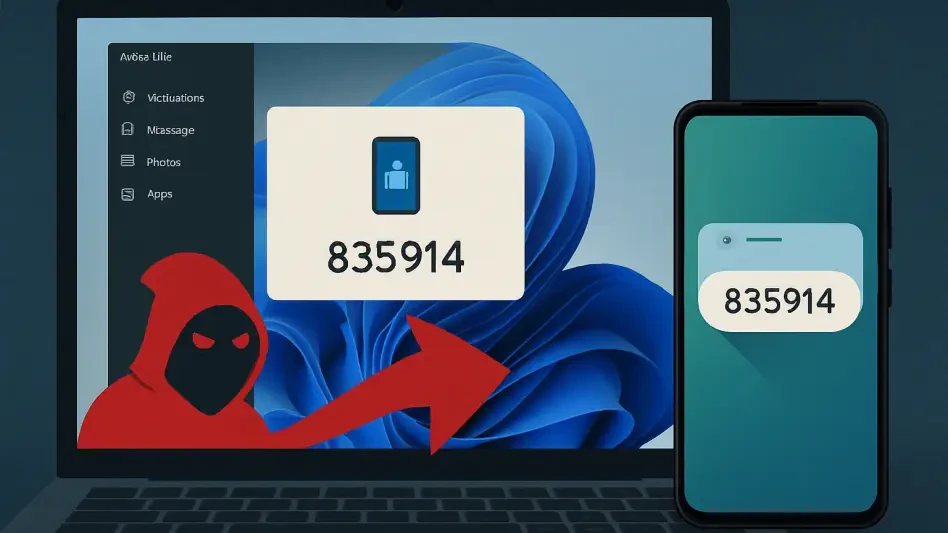
The integration of mobile notifications into Windows desktops has created a new ‘sensitive data plumbing’ that sophisticated malware now exploits. Cybersecurity researchers recently identified a novel threat actor utilizing a specialized malware strain dubbed CloudZ, which specifically targets the Microsoft Phone Link ecosystem to bypass Multi-Factor Authentication (MFA). Unlike traditional credential harvesters that rely on phishing pages, CloudZ establishes a persistent foothold on the victim’s PC to intercept real-time synchronization between an Android device and a Windows 11 workstation. By leveraging the legitimate notification mirroring feature, the malware captures one-time passwords as they arrive on the phone and appear on the desktop screen. This technique effectively renders hardware-based MFA apps less secure if the primary communication channel is compromised. The campaign indicates a shift in tactics where attackers no longer try to steal the secret key but instead hijack the delivery mechanism of the secondary verification token.
Technical Analysis: The Intersection of Connectivity and Vulnerability
The technical execution of CloudZ relies on the administrative permissions it gains during the initial infection phase, often through malicious email attachments disguised as software updates. Once installed, the malware does not attempt to break the encryption of the communication tunnel between the mobile device and the computer. Instead, it monitors the local Windows Notification Center service, specifically looking for processes associated with the YourPhone.exe executable. By injecting malicious code into the notification listener, CloudZ can read the plaintext content of every message that pops up on the taskbar. This includes text messages, authentication codes from apps like WhatsApp or Signal, and banking alerts. Because the user has already authorized the connection between their phone and PC, the operating system treats these notifications as trusted data. This exploit essentially turns a productivity feature into a surveillance tool that operates silently without triggering any standard alerts.
After successfully capturing the sensitive numeric codes, CloudZ utilizes an encrypted WebSocket connection to transmit the data to a remote command-and-control server. The attackers have optimized this process for speed, ensuring that the intercepted Multi-Factor Authentication code reaches their hands within seconds of it appearing on the victim’s screen. This rapid exfiltration is critical because most one-time passwords remain valid for only thirty to sixty seconds. The malware also features a filtering system that ignores social media notifications or general system alerts, focusing exclusively on strings of numbers that match common MFA patterns. To further evade detection, CloudZ masks its network traffic as standard telemetry data, making it difficult for network administrators to distinguish the malicious activity from legitimate Microsoft services. This high level of specialization demonstrates that the developers possess a deep understanding of the internal mechanics of Windows inter-device protocols.
Security experts recommended that organizations immediately enforce stricter policies regarding the use of notification mirroring on workstations handling sensitive data. Transitioning away from SMS-based verification toward hardware security keys like YubiKeys or phishing-resistant FIDO2 credentials provided a robust defense against interceptive malware like CloudZ. IT departments were encouraged to implement rigorous application control policies that prevented unauthorized background processes from accessing the Windows Notification Center API. Furthermore, regular auditing of connected devices in the Microsoft account portal helped users identify and remove unrecognized pairings that could have facilitated unauthorized access. Educating employees on the dangers of granting elevated permissions to unknown applications remained a cornerstone of a proactive defense strategy. By adopting a zero-trust approach to cross-device synchronization, companies mitigated the risk of automated credential theft. These proactive steps ensured that the workspace remained secure.