
The security of your entire digital life could hinge on a single, well-crafted email designed to manipulate your trust in the very service meant to protect you. This guide dissects a sophisticated phishing attack targeting LastPass users, designed to steal the one password that protects all others: your master password. The following sections break down the attackers’ deceptive tactics, explain the technical tricks they use to appear legitimate, and provide actionable steps to ensure your digital vault remains secure. Understanding this threat is the first step toward defending against it.
A New Phishing Campaign Creates a False Sense of Urgency
A highly deceptive phishing campaign has been actively targeting LastPass users, leveraging a manufactured crisis to trick them into compromising their own accounts. The attack, which began surfacing around January 19, 2026, was strategically launched over a holiday weekend, a time when individuals are often less attentive to their inboxes. The core of this strategy is to create an overwhelming sense of urgency, pressuring users to act before they have a chance to scrutinize the communication they have received. By framing a malicious action as a necessary security step, the attackers exploit the user’s desire to protect their data.
This guide is designed to serve as a critical resource, providing a comprehensive breakdown of the attack methodology from the initial bait to the final theft of credentials. It will illuminate the psychological and technical elements that make this campaign particularly dangerous, offering a clear path to identifying and neutralizing the threat. By understanding the anatomy of the attack, users can move from a reactive state of defense to a proactive posture of vigilance, equipped with the knowledge to recognize fraudulent communications and safeguard their most sensitive information. This is not just about avoiding one scam; it is about developing a resilient security mindset.
Why LastPass Users Remain a High-Value Target
LastPass, by its very nature, centralizes the keys to a user’s entire online presence, making it an exceptionally valuable target for cybercriminals. Successfully compromising a single LastPass account can grant an attacker access to banking portals, email accounts, social media profiles, and confidential work documents. This concentration of sensitive data transforms every LastPass user into a high-stakes prize, ensuring that threat actors will persistently develop new methods to breach these digital vaults. The trust placed in the LastPass brand itself is paradoxically weaponized against its users, as attackers impersonate the platform to lower their victims’ defenses.
This latest campaign is not an isolated incident but rather a continuation of a persistent pattern of threats against the platform’s user base. Sophisticated threat groups, such as the one known as CryptoChameleon, have been honing their techniques in previous attacks throughout 2024 and 2025. These groups continuously evolve their methods, learning from past attempts and adapting to new security measures. Their history of combining different attack vectors demonstrates a commitment to finding and exploiting any potential weakness in user vigilance. Therefore, the current phishing email is best understood as the latest move in an ongoing chess match where user awareness is the most critical defensive piece.
Deconstructing the Attack A Step-by-Step Analysis
Step 1 The Deceptive Email Arrives in Your Inbox
The attack sequence is initiated with a carefully constructed email intended to provoke immediate concern and bypass critical thinking. The message often arrives with a subject line engineered for alarm, such as “Protect Your Passwords: Backup Your Vault (24-Hour Window).” This title falsely claims that LastPass is undergoing significant maintenance and that users must manually back up their password vault to prevent the permanent loss of their data. The email is deliberately timed, often sent during periods of lower vigilance like weekends or holidays, to increase the likelihood of a panicked, impulsive response.
The content of the email further reinforces this false narrative, instructing the recipient to click a prominent link, typically labeled “Create Backup Now,” to begin the supposed backup process. This approach is a classic example of social engineering, where the attacker manipulates human psychology rather than exploiting a technical vulnerability in the LastPass system. The entire premise is built on a lie, but its plausibility to a non-technical user, combined with the threat of data loss, makes it a potent and effective lure.
Insight The Power of Social Engineering
The true effectiveness of this phishing email lies not in its technical complexity but in its masterful use of social engineering. The message preys on a user’s innate fear of losing access to critical information, a fear that is particularly potent when it concerns the master key to their digital identity. By framing a malicious request—handing over credentials—as a necessary security precaution, the attackers turn a user’s own diligence against them. This psychological manipulation is designed to short-circuit a person’s normal security checks and logical reasoning.
This tactic works because it aligns with legitimate user concerns. People are frequently told to back up their important data, so a request to back up a password vault does not immediately seem suspicious. The attackers have co-opted the language of good security practices to serve a malicious end. It is this veneer of legitimacy that makes the email so convincing, causing even cautious individuals to second-guess their instincts and proceed with an action that directly compromises their account.
Warning Urgency Is a Classic Red Flag
One of the most consistent indicators of a phishing attempt is the creation of artificial urgency. In this campaign, the attackers impose a strict 24-hour deadline, warning that failure to act will result in the loss of all stored passwords. This time pressure is a deliberate tactic used to prevent the target from taking the time to verify the email’s authenticity, consult with others, or simply think through the request rationally. The goal is to provoke an emotional, fight-or-flight response that leads to an impulsive click.
Whenever an email, text message, or phone call demands immediate action and threatens negative consequences for inaction—such as account suspension, data loss, or financial penalties—it should be treated with extreme suspicion. Legitimate organizations, especially those dealing with sensitive data like LastPass, rarely force users into making critical security decisions under such tight and threatening deadlines. Recognizing urgency as a red flag is a fundamental skill in defending against nearly all forms of social engineering attacks.
Step 2 The Malicious Link and a Convincing Fake Login Page
After a user clicks the “Create Backup Now” link within the email, they are not taken directly to the phishing site. Instead, the attackers employ a clever intermediate step to evade detection. The link first routes the user through a legitimate Amazon Web Services (AWS) domain. This initial hop is designed to fool both automated email security filters, which are less likely to flag a link to a trusted domain like AWS, and wary users who might inspect the link before clicking. This brief redirection adds a layer of perceived legitimacy to the process, lulling the target into a false sense of security before the trap is sprung.
From the AWS domain, the user is seamlessly redirected to the actual phishing page, a fraudulent website meticulously designed to be a pixel-perfect replica of the official LastPass login portal. This clone is hosted on a look-alike domain, such as “mail-lastpass[.]com,” which at a quick glance appears credible. Every detail, from the company logo and color scheme to the layout of the input fields, is copied to ensure the user does not become suspicious at this final, critical stage of the attack.
Technical Trick The AWS Redirect Lulls You into a False Sense of Security
The use of an open redirect through a reputable service like AWS is a calculated technical trick. Attackers leverage the trusted reputation of major cloud providers to mask their malicious intentions. Email security systems and even some browser-based protection services may see the initial destination as benign, allowing the phishing link to reach the user’s inbox without being quarantined. For the user, a quick hover over the link might show a familiar and non-threatening domain, reducing their suspicion.
This technique effectively weaponizes the infrastructure of a trusted third party against the user. It demonstrates that attackers are not just relying on simple deception but are also incorporating technical maneuvers to bypass the preliminary lines of defense. The redirect happens in a fraction of a second, making it almost impossible for the average person to notice. This makes it all the more crucial for users to focus their attention on the final destination—the domain name visible in the browser’s address bar once the page has fully loaded.
Red Flag Always Scrutinize the Domain Name
The single most reliable method for identifying this phishing attack is to carefully examine the domain name in the web browser’s address bar. Despite the convincing appearance of the fake login page, it cannot be hosted on the official LastPass domain. The legitimate website for LastPass is, and always will be, lastpass.com. Any variation, no matter how subtle, is an undeniable sign of a fraudulent site.
Attackers will often use look-alike domains, such as “mail-lastpass[.]com,” “lastpass-security[.]net,” or other similar combinations, hoping that users will not notice the difference. It is essential to develop the habit of always checking the full domain name before entering any credentials. Ignore subdomains (the parts before the main domain) and focus on the core domain name that appears just before the “.com” or other top-level extension. If it is anything other than lastpass.com, the page is malicious, and you should close the browser tab immediately.
Step 3 The Master Password Is Captured
The final stage of the attack occurs the moment a user enters their master password and any other requested credentials, such as a username or two-factor authentication code, into the fields on the fraudulent login page. Once the “Log In” button is clicked, this information is transmitted directly to a server controlled by the attackers. With the master password in their possession, the cybercriminals gain complete and unrestricted access to the user’s LastPass vault.
This single credential is the key that unlocks everything. The attackers can then log into the victim’s actual LastPass account, where they can view, copy, and export every username, password, secure note, and piece of autofill data stored within. The consequences are immediate and severe, as the criminals can then use this information to compromise the user’s banking, email, and other critical online accounts, potentially leading to financial theft, identity fraud, and further targeted attacks against the victim’s contacts.
The Critical Takeaway The Master Password Is a Sacred Credential
It is imperative to understand that the LastPass master password holds a unique and sacred status. Due to LastPass’s zero-knowledge security architecture, the company itself does not know and cannot access your master password. Consequently, LastPass has made it explicitly clear that its employees will never, under any circumstances, ask for your master password. This policy applies to all forms of communication, including email, phone calls, support tickets, and direct messages.
Any request for your master password, no matter how official or urgent it may seem, is fraudulent by definition. This is a non-negotiable security principle. Treating your master password with this level of reverence is the ultimate defense against phishing and other social engineering schemes. If a message or website asks for it outside the official LastPass application or lastpass.com website, it is a guaranteed scam.
Anatomy of the Attack A Quick Recap
To summarize, this sophisticated phishing campaign against LastPass users unfolds across three distinct and calculated stages. It is a process designed to systematically break down a user’s defenses through a combination of psychological pressure and technical subterfuge. Understanding this sequence is key to recognizing it in the wild and stopping the attack before it succeeds.
The attack progression can be broken down as follows:
- Bait: An urgent email impersonating LastPass warns of pending maintenance and instructs you to back up your vault within 24 hours. This initial contact is designed to induce panic and bypass rational thought by creating a false sense of emergency.
- Redirect: A malicious link sends you through an AWS domain to a convincing phishing site that perfectly mimics the real LastPass login page. This two-step redirection is engineered to appear legitimate to both security filters and the user, masking the fraudulent destination.
- Theft: You enter your master password on the fake page, unknowingly handing the keys to your entire digital life over to the attackers. This final step completes the heist, giving the criminals full access to every credential stored within the compromised vault.
The Bigger Picture An Evolving Threat Landscape
This campaign should not be viewed as an isolated event but rather as a single battle in a persistent and ongoing war against LastPass users. Threat actors like the CryptoChameleon group are continuously refining their tactics, demonstrating a clear trend toward more personalized, multi-pronged social engineering attacks. They learn from each campaign, adapting their methods to overcome user education and new security technologies. This evolution requires a corresponding evolution in user awareness and skepticism.
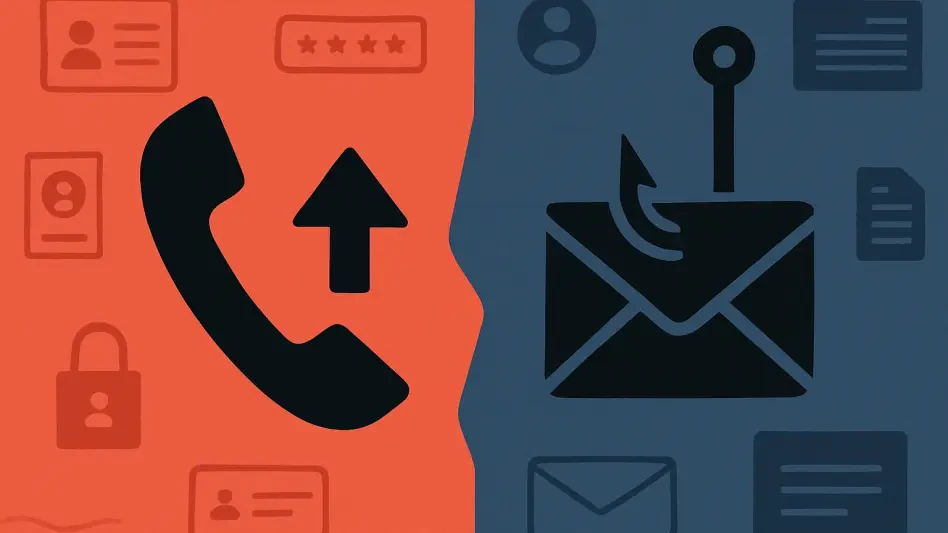
Past campaigns from these sophisticated groups have incorporated additional layers of deception, such as combining email phishing with follow-up phone calls (a technique known as vishing) to add a human element of persuasion. Attackers have also exploited legitimate platform features, like the “legacy request” function in LastPass, to enhance their credibility and trick users into visiting phishing sites under the guise of an official process. This demonstrates that criminals are not just sending generic emails but are actively researching their target platform to make their attacks as convincing as possible, requiring an even higher level of vigilance from users.
Your Action Plan How to Protect Your Vault and Stay Vigilant
Protecting your LastPass account from these advanced threats requires proactive and consistent vigilance, as you are the final and most important line of defense. The most crucial step is to change your default behavior when receiving unsolicited communications about your account. If you receive a suspicious email, do not click any links or download any attachments, regardless of how urgent the message appears. The safest course of action is to delete the email immediately.
To further secure your account, always verify communications by interacting with the service directly. Instead of clicking a link in an email, manually type “lastpass.com” into your browser’s address bar to log in and check for any genuine notifications. Additionally, reporting these attempts is vital for community-wide security; forward any suspicious emails to LastPass’s abuse hotline. Finally, it was recommended to familiarize yourself with the official indicators of compromise, such as known malicious domains and email subject lines, which are often published by the LastPass threat intelligence team to help users better recognize and avoid these sophisticated scams.