
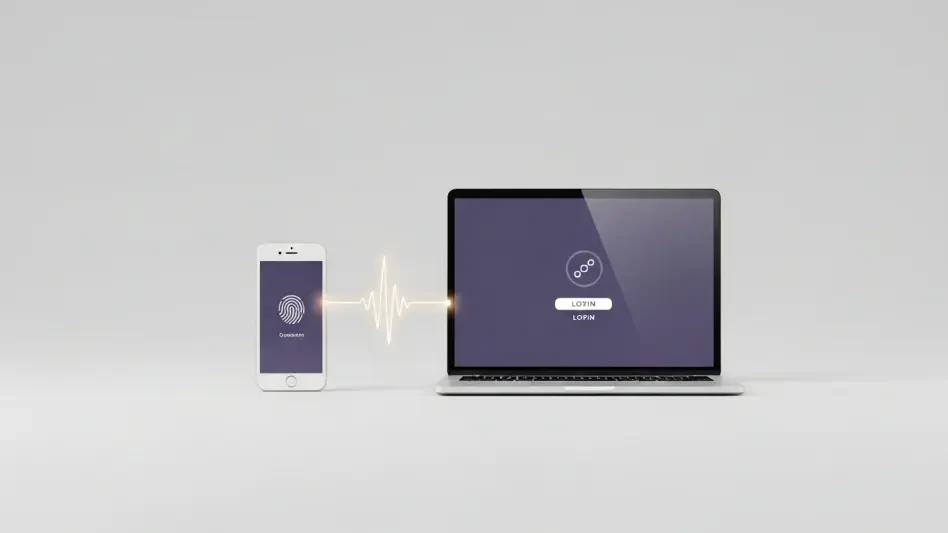
Security professionals have spent years drilling the importance of checking URLs and verifying certificates into the minds of everyday users, yet a modern class of cyberattack is rendering these traditional defenses almost entirely obsolete. While the classic image of a phishing attempt involves a poorly designed website with a suspicious domain name, the emergence of device code phishing represents a far more insidious evolution in the threat landscape. In this scenario, a victim interacts exclusively with a legitimate Microsoft login portal, follows every prescribed security protocol, and successfully completes a multi-factor authentication challenge, only to inadvertently hand over full control of their account to a remote attacker. This technique does not rely on finding a flaw in Microsoft’s encryption or breaking through a firewall; instead, it weaponizes the very features designed to make modern digital life more convenient for users on a variety of different hardware platforms.
As organizations have moved toward a passwordless future in 2026, the reliance on session tokens and secondary authentication flows has created new opportunities for sophisticated threat actors. The standard advice of “look for the padlock icon” or “verify the domain is microsoft.com” no longer suffices when the attacker is acting as a silent intermediary in a legitimate transaction. This shift in methodology marks a transition from simple credential harvesting to complex session hijacking, where the goal is no longer to know a user’s password but to possess their active, authenticated state. By understanding the intricate details of how these attacks bypass multi-factor authentication, it becomes clear that the human element of security must evolve alongside the technical safeguards that are currently being bypassed with alarming regularity by both state-sponsored groups and independent criminal organizations alike.
The Mechanics of Device Authorization
The Original Purpose of Device Code Logins
The device authorization flow was originally conceptualized as a solution for the growing ecosystem of smart devices that lack traditional input methods, such as keyboards or mice. When a user attempts to log into a streaming service on a smart television or a gaming console, the physical act of typing a sixty-four-character alphanumeric password using a directional pad on a remote control is not only frustrating but prone to error. To solve this, major technology providers implemented a secondary authentication stream where the primary device displays a short, time-limited code and directs the user to a specific verification URL on a more capable device, like a smartphone or a laptop. This allows the user to perform the heavy lifting of authentication—entering usernames, passwords, and biometric data—on a device they already trust and use daily, which then sends a signal back to the “headless” device to grant access.
Beyond the consumer world of entertainment and gaming, this protocol serves a vital role in the industrial and corporate sectors, particularly concerning the Internet of Things and automated systems. Many server environments and specialized hardware components do not have a graphical user interface, making it impossible to present a standard login screen. By utilizing the device code flow, system administrators can securely link these background processes and hardware units to a central identity provider without ever exposing sensitive credentials to the local machine’s memory or command-line history. This separation of the authentication interface from the service-requiring device was hailed as a major security win, as it prevented “man-in-the-middle” attacks on public or shared terminals where a user might otherwise be tempted to type their password into a keyboard that could be monitored by hardware or software loggers.
The Security Shift: From Physical Proximity to Remote Exploitation
The fundamental security assumption underlying the device code flow is that the person entering the code is in the same physical location as the device requesting the access. In a standard, legitimate scenario, a person looks at their television screen, sees a code, and then types that code into their phone while sitting on their couch. This inherent proximity acts as a natural safeguard against remote exploitation because an attacker would traditionally have no way of knowing what code is being displayed on a victim’s private screen. However, as digital communication has become more centralized through platforms like Microsoft Teams and Outlook, attackers have found ways to bridge this physical gap using clever social engineering. By initiating the request from their own remote terminal, the attacker generates a code and then uses deceptive messaging to “push” that code to the victim, effectively making the victim’s browser the authentication tool for the attacker’s session.
The transition from a convenience feature to a critical vulnerability occurred when hackers realized that the “secondary device” in the protocol does not have to be a smart TV or an IoT sensor; it can simply be any machine capable of making an OAuth request. When a threat actor triggers a device login request for a specific target email address, Microsoft’s identity platform generates a unique session that is pending verification. The attacker’s machine sits in a “polling” state, constantly asking the server if the code has been authorized yet. Once the victim is tricked into entering that code on the legitimate Microsoft website, the link between the two sessions is established. This exploit is particularly effective because it bypasses the need for the attacker to ever see or interact with the victim’s password or MFA token directly, as the victim is performing the authorized action on the attacker’s behalf within a trusted environment.
Anatomy of a Successful Exploit
Step 1: Initiation and Social Engineering Tactics
A sophisticated device code phishing campaign typically begins with a high degree of reconnaissance, where the attacker identifies a target and their associated organizational email address. Using specialized scripts or automated tools, the attacker sends a request to the Microsoft authentication endpoint, specifically requesting a device code for the targeted account. At this moment, the attacker’s terminal displays the code and a set of instructions, while simultaneously beginning a background process that waits for a successful login signal from the server. The attacker does not yet have access, but they have successfully set the stage for a “permission request” that will look entirely legitimate to the user once the social engineering hook is deployed through email, text message, or an internal corporate chat application.
The success of the subsequent interaction relies heavily on the attacker’s ability to create a sense of urgency or professional necessity that overrides the victim’s natural skepticism. Common tactics include sending a forged security notification that warns of “unauthorized access attempts” and instructs the user to “verify their identity” by visiting a legitimate Microsoft URL and entering the provided code. In other instances, the attacker might impersonate an IT administrator during a scheduled maintenance window, informing employees that they must “re-sync their Microsoft 365 profile” to maintain access to company resources. Because the URL provided is genuinely owned by Microsoft, many automated email filters and link-scanning tools will mark the message as safe, allowing the phishing attempt to land directly in the victim’s primary inbox with a high level of perceived authority.
Step 2: The Authentication Phase and Token Issuance
When the victim clicks the link and navigates to the official device login page, they are greeted by a standard, branded Microsoft interface that they have likely seen many times before. The browser’s address bar shows the correct domain, the security certificate is valid, and no warnings are triggered by the operating system. The victim enters the alphanumeric code provided by the attacker, and Microsoft’s system then asks them to log in if they are not already cached in the browser. If the user has multi-factor authentication enabled—such as a push notification to a mobile app or a biometric scan—they will receive a prompt to approve the sign-in. Because the user believes they are the one initiating a security “fix” for their own account, they approve the prompt without hesitation, assuming they are simply completing a routine verification step.
The moment the victim approves the authentication, a silent but catastrophic exchange occurs in the background of Microsoft’s identity infrastructure. The server recognizes that the code entered by the victim has been successfully validated with a full set of credentials and MFA approval. Consequently, it issues a set of OAuth access tokens and refresh tokens to the original “device” that requested the code—which is the attacker’s computer. The victim is usually redirected to a success page stating that they have successfully signed in, but they have no way of knowing that they have just signed someone else into their account. The attacker’s terminal immediately receives the token, granting them a fully authenticated session that bypasses any further need for passwords or MFA prompts for as long as the session remains active.
The Value of the Hijacked Session
Beyond the Password: The Power of Access Tokens
In the modern security landscape of 2026, the traditional password has become significantly less valuable to an attacker than a valid, MFA-blessed access token. An access token is essentially a digital key that proves a user has already proven their identity and is authorized to perform specific actions within the cloud environment. When an attacker captures this token through device code phishing, they are not just “logging in”; they are assuming a pre-authenticated identity that has already cleared every hurdle the organization has put in place. These tokens often have a lifespan that allows for hours or even days of uninterrupted access, and they can sometimes be used to generate new “refresh” tokens that extend the window of compromise even further without ever alerting the user to the intrusion.
The true danger of an access token lies in its ability to facilitate “silent” data exfiltration and deep persistence within an account. Unlike a traditional login from a new device, which might trigger a “new sign-in” alert to the user’s phone, the device code flow is often viewed by security systems as a legitimate extension of a user’s existing session. An attacker with this level of access can browse through private emails, download sensitive corporate documents from SharePoint, and even modify mailbox rules to hide their activity. For instance, they might set up a rule that automatically deletes any emails containing words like “security,” “alert,” or “unauthorized,” ensuring that even if Microsoft’s automated systems do detect suspicious behavior later on, the victim will never see the notification in their inbox.
The Impact: Escalating Access and Lateral Movement
Once an attacker has established a foothold in a single account, they often use that position to move laterally across the entire organization or to escalate their privileges. If the compromised user has administrative rights or access to sensitive financial systems, the attacker can use the valid session to authorize wire transfers, change payroll information, or create new “backdoor” accounts that will remain active even if the original victim changes their password. In the context of a corporate environment, the attacker can use the victim’s legitimate Teams or Outlook account to send internal phishing messages to other employees. These internal messages are highly effective because they come from a trusted colleague and do not originate from an external or suspicious email server, making them nearly impossible for standard security software to intercept.
Furthermore, the compromised session can be used to harvest more than just data; it can be used to harvest the organization’s entire directory structure. By accessing the Global Address List, an attacker can map out the hierarchy of a company, identifying key targets such as the Chief Financial Officer or the Head of Human Resources for a more focused, high-value attack. They can also look for “secrets” stored in plain text within emails or shared documents, such as API keys or secondary passwords for non-Microsoft services. This ripple effect means that a single successful device code phishing attack can eventually lead to a total compromise of the organization’s digital infrastructure, turning a minor oversight by one employee into a massive data breach that could take months or even years to fully remediate.
Defensive Strategies and Prevention
Identifying the Red Flags of Device Phishing
Developing a culture of skepticism regarding authentication flows is the most powerful defense an individual can possess against this specific brand of cybercrime. The primary red flag of a device code phishing attempt is the unsolicited nature of the request; if a user is not currently trying to log into a secondary device like a TV or a piece of industrial hardware, they should never be entering a code into a Microsoft website. It is a fundamental truth of Microsoft’s security architecture that they will never proactively send a code to a user and ask them to navigate to a login page to “secure” their account. Any message that provides both a link to the device login page and a specific code should be treated as a high-alert fraudulent attempt, regardless of how official the accompanying email or text message appears to be.
Furthermore, users must be trained to recognize the specific language used during the device authorization process to distinguish it from standard MFA prompts. When entering a device code, the Microsoft interface will often explicitly state that the user is “signing in to a new device or application.” If the user is sitting at their primary workstation and has not recently purchased a new piece of hardware, this message is a clear indicator of an ongoing attack. In 2026, many security-conscious organizations are encouraging employees to use “report message” features even for internal communications that seem slightly off, as the speed at which an attacker can use a hijacked session to send internal phishing links is often faster than a traditional IT response team can detect the initial breach through log analysis alone.
Organizational and Technical Safeguards
From a structural perspective, IT administrators have several powerful tools at their disposal to neutralize the threat of device code phishing before it reaches the end user. The most direct solution is to disable the device code flow entirely if it is not required for business operations. Many organizations discover that they have no legitimate need for this authentication method, as their employees do not use smart TVs or headless devices to access corporate data. By navigating to the Microsoft Entra ID (formerly Azure AD) configuration panel, administrators can toggle off “Device Code Authentication,” effectively closing the door on this entire attack vector. This simple configuration change is one of the most effective ways to reduce the attack surface of a modern cloud environment without impacting the productivity of the vast majority of workers.
For organizations that must maintain device code flow for specific use cases, Conditional Access Policies provide a more nuanced layer of protection. Administrators can create rules that only allow device code logins from specific, pre-approved IP addresses or from devices that are already registered and managed by the company’s mobile device management system. This ensures that even if an attacker tricks a user into entering a code, the authentication will fail because the attacker’s machine does not meet the necessary geographic or security health requirements. Additionally, implementing continuous access evaluation allows the system to revoke tokens in real-time if a change in the user’s location or security posture is detected, significantly shortening the window of opportunity for an attacker to exploit a captured session.
The conclusion of the matter is that the security of a Microsoft account in the current digital climate relies on more than just the strength of a password or the existence of a secondary verification step. Throughout the investigation into device code phishing, it was observed that the most successful attacks thrived on the victim’s misplaced trust in a legitimate domain name. Attackers shifted their focus from technical bypasses to behavioral manipulation, essentially forcing the user to act as the final, willing participant in the breach. This methodology proved that as long as convenience remains a priority in software design, hackers will find ways to turn that convenience into a weapon.
Actionable steps for the future must involve a combination of technical restrictions and a fundamental change in how digital permissions are perceived by the public. Organizations should have prioritized the auditing of their authentication logs to identify any “Cross-Platform” or “Device Code” logins that originated from unexpected geographic regions. It was determined that the most resilient environments were those that moved away from passive MFA approval and toward “number matching” or “biometric-only” challenges that provided more context to the user at the moment of authorization. By treating every authentication code as a high-level permission rather than a simple verification step, the industry finally began to close the gap that threat actors had so effectively exploited.