
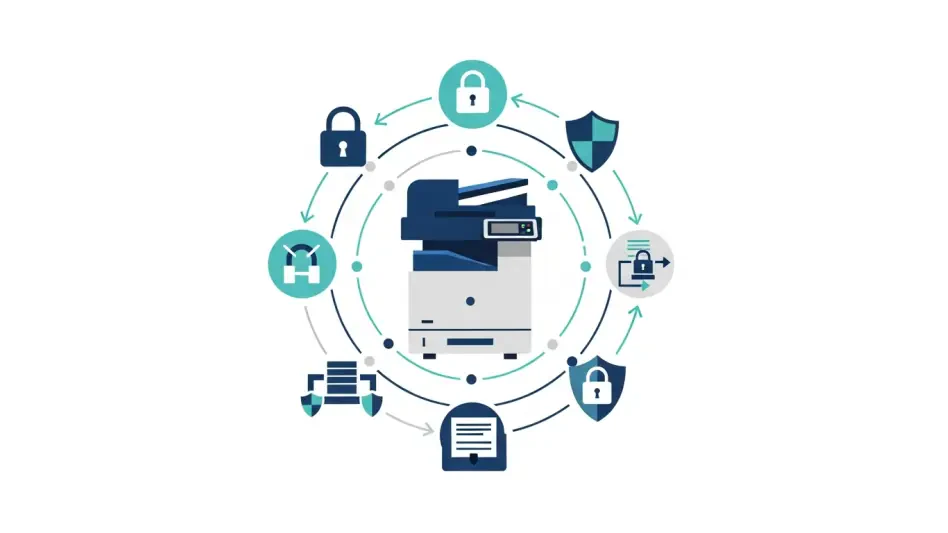
The standard multifunction printer sitting quietly in the corner of a bustling small office often contains more processing power and sensitive data access than the workstations surrounding it, yet it remains the most frequently overlooked entry point for sophisticated cybercriminals. For many Small and Medium-sized Enterprises (SMEs), the focus of cybersecurity remains steadfastly on the “visible” front lines, such as firewalls, antivirus software, and employee laptops. However, this narrow perspective leaves a significant blind spot within the internal network. Modern multifunction devices (MFDs) are no longer just peripherals; they are full-fledged network endpoints equipped with storage drives, advanced operating systems, and direct connections to cloud services. In the current digital landscape across the Asia-Pacific region, where the frequency of ransomware and data breaches is rising, these devices have become high-value targets. A single unpatched printer can serve as a persistent foothold for an attacker, allowing them to move laterally across a network, harvest login credentials, or intercept sensitive documents before they are even printed. The shift from an “if” to a “when” mentality regarding cyberattacks means that every connected device must be treated as a critical node that requires the same level of rigorous protection as a central server.
Evaluating the Operational Vulnerabilities of Modern Businesses
Navigating Resource Scarcity: The Burden on Lean IT Teams
The operational reality for most SMEs is defined by a persistent capacity problem, where small IT teams are tasked with managing an increasingly complex array of digital assets with limited time and specialized knowledge. Unlike large corporations with dedicated security operations centers, smaller firms often lack the manpower to perform manual security audits or consistent firmware updates on every piece of hardware. This resource scarcity creates a dangerous lag between the discovery of a vulnerability and the application of a patch, leaving printers exposed for extended periods. When IT personnel are stretched thin by the daily demands of troubleshooting and system maintenance, peripheral devices are frequently the first to be neglected. This oversight is precisely what cybercriminals exploit, targeting the perceived “low-hanging fruit” of an organization’s infrastructure to gain entry. Moving away from manual, reactive maintenance toward hardware that features autonomous, built-in defense mechanisms is no longer an optional upgrade but a fundamental necessity for maintaining business continuity in a high-threat environment.
The rise of the decentralized workforce has further complicated the security landscape, as hybrid work models require printers to be accessible from various locations and diverse network types. In a traditional office setup, a printer might have been shielded behind a singular corporate firewall, but the modern environment demands that these devices be integrated into complex, cloud-based workflows. Managing a fleet of devices spread across multiple branch offices or even home environments makes manual monitoring nearly impossible for a lean IT department. This distributed nature of work introduces new vectors for attack, as every connection point represents a potential vulnerability if it is not secured with the same level of scrutiny as the main office network. By prioritizing hardware that offers remote management capabilities and self-healing security features, SMEs can alleviate the operational burden on their staff while ensuring that every endpoint, regardless of its physical location, remains compliant with the organization’s overall security posture.
The Data Perimeter: Securing High-Traffic Information Hubs
Printers have evolved into central hubs for data processing, serving as the intersection where physical documents are converted into digital files and transmitted across global networks. Because these devices are frequently integrated with internal email systems, cloud storage platforms like OneDrive or Google Drive, and confidential databases, they handle a continuous stream of sensitive information. Financial records, employee personal data, and proprietary business strategies all pass through the printer’s memory and storage at some point. If these devices sit outside the organization’s primary data perimeter without proper encryption or access controls, they essentially function as an unmonitored exit or entry point for data. Cybercriminals recognize that while a laptop might have high-level encryption, the cached file on a printer’s hard drive might be stored in plain text, making it an attractive target for data exfiltration. Ensuring that the printer is recognized as a critical endpoint allows businesses to enforce end-to-end encryption and secure deletion protocols that protect information throughout its entire lifecycle.
Beyond the digital risks, the physical security of documents remains a significant vulnerability that is often ignored in the broader conversation about cybersecurity. In many office environments, sensitive documents are frequently left unattended in output trays, where they can be physically intercepted by unauthorized visitors or even well-meaning employees who should not have access to that specific information. This gap in the security chain can lead to accidental data leaks that are just as damaging as a targeted hack. Treating the printer as a critical security endpoint involves implementing “pull-printing” solutions where a document is only released once the authorized user has physically authenticated themselves at the device. By securing the physical output as well as the digital transmission, SMEs can close the loop on document security. This holistic approach ensures that the data perimeter is not just a digital wall but a comprehensive shield that covers every stage of document handling, from the moment a print job is sent to the final retrieval of the paper.
Strengthening Defensive Architectures with Advanced Technology
Leveraging Hardware Protection: The Power of Firmware Whitelisting
One of the most effective ways to secure a multifunction device is through hardware-level protection, such as firmware whitelisting, which acts as a foundational gatekeeper for the entire system. Unlike traditional software-based antivirus programs that run on top of an operating system and can be bypassed if the OS itself is compromised, hardware-level security is baked into the device’s boot process. Firmware whitelisting ensures that only digitally signed and verified code is allowed to execute during the startup phase. If the device detects any unauthorized modifications or malicious code attempting to run, it can automatically shut down or alert the IT department, preventing the threat from gaining a foothold. This level of core protection is essential because it operates independently of the network’s broader security software, providing a redundant layer of defense that is incredibly difficult for attackers to circumvent. For SMEs, this means the device can effectively defend itself even if the rest of the network is under siege.
This proactive hardware defense is particularly critical when facing “Living Off the Land” attacks, where cybercriminals use legitimate, pre-installed system tools to carry out their activities. Because these attacks do not rely on traditional malware files that an antivirus might recognize, they often fly under the radar of standard monitoring systems. By implementing hardware-level whitelisting and intrusion detection, the device can monitor its own memory and processes for any anomalous behavior that deviates from its intended function. This move from application-layer security to hardware-layer integrity shifts the defensive focus toward the most vulnerable part of the device: the firmware. For an SME, this technology provides a powerful tool that blocks sophisticated techniques before they can infiltrate the deeper layers of the corporate network. By selecting hardware that prioritizes these core security layers, businesses can significantly reduce their reliance on manual interventions and create a more resilient infrastructure that stays protected against the latest generation of stealthy digital threats.
Integrating Zero Trust Governance: Verifying Every Interaction
While hardware defenses provide the necessary infrastructure, a truly resilient security strategy must be anchored by a Zero Trust mentality that governs every interaction within the network. The Zero Trust model operates on the principle of “never trust, always verify,” meaning that no user, device, or application is granted access to resources by default, regardless of whether they are inside or outside the corporate perimeter. In the context of printer security, this requires every print request, scan-to-email action, or cloud upload to be authenticated and authorized through a central identity management system. By integrating printers into this broader governance framework, SMEs can ensure that only verified personnel can access sensitive functions. This approach effectively eliminates the risk of an “open” printer being used as an anonymous tool for data theft or as a launching pad for internal attacks. Zero Trust forces a discipline of continuous verification that aligns the printer with the same security standards applied to the most sensitive servers in the organization.
The human element remains a significant factor in any security strategy, and Zero Trust governance helps to mitigate the risks associated with human error or social engineering. Technology alone cannot prevent a user from inadvertently scanning a confidential document to a public email address or falling for a phishing scam that targets their login credentials. However, when combined with a culture of accountability and regular employee training, a Zero Trust architecture provides the guardrails necessary to limit the potential damage of such mistakes. Resilience is a shared responsibility that requires clear protocols and a disciplined approach to data classification and access management. By educating staff on the importance of endpoint security and implementing strict verification policies, SMEs can transform their workforce from a potential vulnerability into a vital line of defense. This synergy between advanced hardware and a culture of security ensures that the organization can effectively manage risks and respond with agility to potential threats before they escalate into full-scale crises.
Optimizing Workflows and Meeting Legal Mandates
Applying Practical Solutions: Enhancing Efficiency Through Authentication
Practical innovations like biometric authentication and facial recognition for “pull-printing” illustrate how SMEs can operationalize security while simultaneously improving workplace efficiency and user experience. In a traditional printing environment, the administrative overhead of managing user access and forgotten passwords can be a constant drain on IT resources. By implementing advanced authentication methods, the process of identifying a user becomes instantaneous and far more secure than a simple PIN or ID card. When a document is sent to a secure digital queue, it remains encrypted and inaccessible until the authorized user arrives at the device. This “on-demand” printing model not only ensures that confidential information is never left sitting in an open tray but also significantly reduces paper waste from uncollected documents. For an SME, this represents a rare win-win scenario where a security upgrade also leads to cost savings and a more streamlined workflow for the entire office.
Furthermore, automating the management of these endpoints through centralized software allows IT departments to maintain oversight without needing to visit each device physically. Modern print management solutions can automatically update security certificates, monitor for unusual activity, and generate compliance reports, all from a single dashboard. This level of automation is essential for SMEs that need to scale their operations without a corresponding increase in IT headcount. By shifting the burden of security from manual tasks to automated systems, businesses can ensure that their defensive posture remains consistent across the entire organization. This proactive management style not only protects the business from external threats but also provides the data-driven insights needed to optimize the use of hardware and identify potential bottlenecks in document workflows. Ultimately, treating the printer as a critical endpoint allows for a more intelligent and responsive office environment that supports long-term growth.
Adapting to Regulatory Shifts: Navigating the Legal Landscape
As digital transformation continues to accelerate, the regulatory landscape is shifting to keep pace, with new laws increasingly mandating that businesses take technical measures to protect consumer data and prevent cyberattacks. In regions like Singapore and Vietnam, legal frameworks such as the Personal Data Protection Act and various cybersecurity decrees are setting higher standards for how organizations handle and secure digital information. Ignoring the security of networked printers is no longer just a technical oversight; it is a significant legal risk that could result in substantial fines, litigation, and irreparable damage to a company’s reputation. From 2026 to 2028, these regulations were tightened to include specific requirements for endpoint encryption and hardware-level security, making it imperative for SMEs to adopt a proactive stance. By investing in secure hardware and robust governance now, businesses avoided the scramble for compliance and ensured their operations remained uninterrupted by legal challenges.
Decision makers recognized that the costs of a data breach far outweighed the investment required to secure their printing infrastructure during this period of rapid regulatory change. Organizations that successfully integrated their multifunction devices into a comprehensive security strategy found that they were not only more resilient against attacks but also more attractive to partners and clients who valued data integrity. The transition toward treating printers as critical security endpoints became a defining characteristic of successful SMEs as they navigated the complexities of the late 2020s. These companies implemented automated patching, hardware whitelisting, and Zero Trust policies, which provided a stable foundation for future technological adoption. By closing the security gaps in their document management systems, they moved beyond a reactive posture and built a culture of digital safety that protected their intellectual property and maintained consumer trust in an increasingly hostile and scrutinized digital environment.