Modern digital security in 2026 requires more than just a passing familiarity with password management; it demands a proactive stance against sophisticated credential-harvesting techniques that target gamers specifically. A single stolen session token can evaporate years of progress and thousands of dollars in rare digital cosmetics in less than the time it takes to finish a single match. As the value of virtual inventories continues to rise, the incentive for malicious actors to exploit weak login barriers has reached an all-time high, making two-factor authentication (2FA) an absolute necessity rather than an optional convenience. By introducing a secondary layer of verification, users create a significant hurdle that remote attackers cannot easily bypass, even if they have successfully obtained the account’s password through phishing or data breaches. This guide provides a comprehensive roadmap for hardening the most popular gaming platforms, ensuring that digital legacies remain under the rightful owner’s control through the implementation of robust, industry-standard authentication protocols that have been proven to stop the vast majority of automated account takeover attempts.
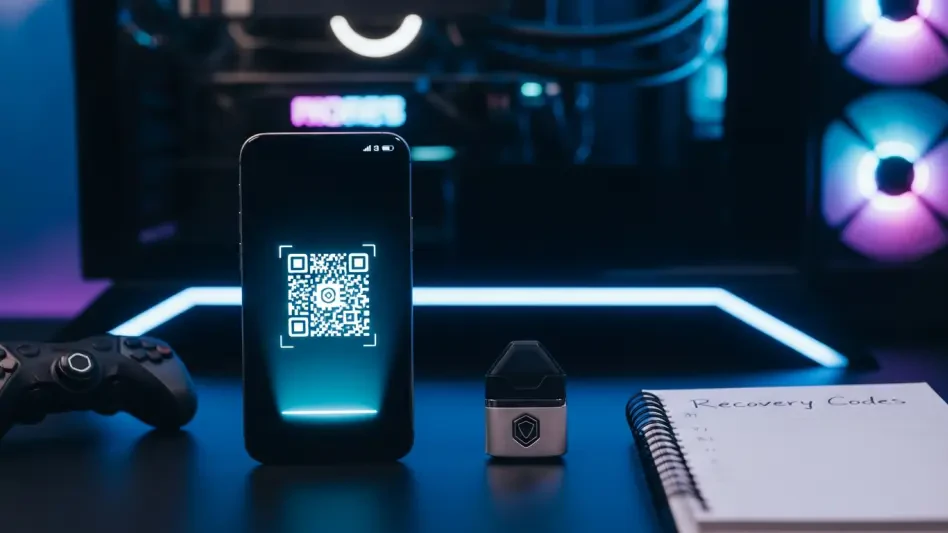
The process of securing multiple platforms is a strategic undertaking that requires roughly forty minutes of dedicated focus and a specific set of tools to ensure the transition is smooth and permanent. To begin, one must possess a modern smartphone equipped with a functioning camera, as the majority of 2FA setups rely on scanning QR codes to establish a cryptographic link between the service provider and the user’s device. Furthermore, having a reliable authenticator application already installed is paramount; while many people opt for widely recognized solutions like Google Authenticator or Microsoft Authenticator, others may prefer specialized password managers that include integrated TOTP (Time-based One-Time Password) functionality. Access to current login credentials and the primary email accounts associated with each gaming profile is also mandatory, as these will be used to verify the user’s identity during the initial setup phase. Finally, a physical or highly secure digital repository for backup codes—such as a handwritten notebook or an encrypted vault—must be prepared to prevent permanent lockout in the event that the primary mobile device is lost, damaged, or replaced.
1. Essential Requirements: Preparing Your Security Toolkit
Before diving into the specific menus of each gaming platform, it is essential to understand the technological foundation upon which modern two-factor authentication is built. The most effective forms of 2FA utilized in 2026 involve either software-based authenticators that generate rotating six-digit codes or hardware-based security keys that utilize the FIDO2 standard for phishing-resistant logins. While SMS-based verification remains a common fallback, it is increasingly viewed as a secondary choice due to the prevalence of SIM-swapping attacks, where an attacker tricks a mobile carrier into porting a victim’s phone number to a new device. Therefore, the preparation phase involves selecting an authenticator app that supports cloud backups or cross-device synchronization, ensuring that your digital keys are not trapped on a single piece of hardware. This selection process is a critical first step because the reliability of your chosen tool directly correlates with the long-term accessibility of your gaming library and personal data.
Once the software environment is prepared, the user should conduct a brief audit of their current account status to ensure that no existing security compromises interfere with the 2FA activation process. This involves checking that the primary email address linked to the gaming accounts is itself secured with multi-factor authentication, as a compromised email account is the most common “skeleton key” used by attackers to reset passwords and bypass secondary security measures. Additionally, for those interested in the more technical aspects of account protection, preparing a Python-based development environment with version 3.10 or higher allows for the creation of custom security auditors. This technical readiness is particularly useful for users who manage multiple accounts across different regions or platforms and wish to automate the verification of their security posture. By gathering all necessary hardware, software, and credential information beforehand, the actual implementation of 2FA becomes a streamlined, error-free procedure that significantly elevates the account’s defensive capabilities against modern cyber threats.
2. Steam Guard: Strengthening Your Valve Ecosystem
The initial phase of securing a PC gaming library focuses on Steam, where Valve Corporation has implemented a proprietary system known as Steam Guard to protect user inventories and personal information. To initiate this process, the user must first download and install the official Steam Mobile application from the Apple App Store or the Google Play Store, then proceed to log in with their existing account credentials. This mobile-first approach is central to Valve’s security philosophy, as it transforms the smartphone into a dedicated physical authenticator that is required for every new login on an unrecognized device. Once the app is installed and the user is logged in, they must navigate to the “Steam Guard” section within the mobile interface to begin the activation of the digital authenticator, which replaces the older, less secure email-based notification system with a more robust, local code generation method that operates even when the device is offline.
After the mobile application is ready, the user must return to their desktop Steam client or the web portal to finalize the synchronization between the two environments. By selecting “Manage Steam Guard” within the account details menu, the user will be prompted to follow a series of steps that link the desktop session to the mobile app’s security generator. A critical component of this setup is the generation and recording of the unique Steam Guard restoration code, which is a alphanumeric string provided at the very end of the activation process. This code acts as the ultimate failsafe; if the mobile device is ever lost or factory reset, the restoration code is the only mechanism that allows the user to regain control of their account without a lengthy and potentially unsuccessful interaction with Steam Support. It is highly recommended to store this code in a physical location or a secure password manager rather than as a screenshot on the phone, as losing the phone would effectively lose both the authenticator and the recovery method simultaneously.
3. Xbox and Microsoft: Leveraging Identity Confirmation Tools
Securing an Xbox account is a broader task than most realize because it is inextricably linked to the user’s overall Microsoft account, which likely houses sensitive emails, documents, and cloud storage data. To start, the user should access the security settings of their Microsoft account via a web browser and look for the option to configure a mobile identity confirmation tool. Microsoft strongly advocates for the use of the Microsoft Authenticator app, which provides a “one-tap” approval system that is significantly faster and more secure than manually typing in six-digit codes. By linking this app to the account, any login attempt on a new Xbox console or PC will trigger a push notification on the user’s phone, requiring biometric verification or a PIN to allow access. This seamless integration ensures that the security process does not become a bottleneck for the gaming experience while still maintaining a rigorous defense against unauthorized access.
A unique challenge within the Microsoft ecosystem involves managing security for legacy hardware, such as the Xbox 360, or older software applications that do not possess the native capability to process modern 2FA prompts or push notifications. In these specific instances, the standard account password will often result in a login failure even if it is entered correctly. To resolve this, users must navigate to the “Additional security options” section of their Microsoft account to generate what is known as a dedicated app password. This is a unique, one-time-use string of characters that is entered into the legacy device in place of the regular password, effectively acting as a secure bridge between modern authentication standards and older technology. By creating these specific passwords for each piece of legacy hardware, gamers can maintain high security across their entire library of consoles without sacrificing the ability to play older titles or use legacy services that were designed before multi-factor authentication became the industry standard.
4. Activating Two-Step Verification for PlayStation Network
Sony’s approach to securing the PlayStation Network (PSN) involves a dedicated two-step verification system that is essential for protecting digital purchases and trophy data across the PS4 and PS5 ecosystems. To begin, the user must navigate to the “Account Management” menu on their console or the official PlayStation website, find the “Security” tab, and locate the option for 2-step verification. Upon selecting “Activate Now,” the system will guide the user through the process of selecting their preferred method of authentication. While Sony has historically relied heavily on SMS-based codes, they have expanded their support for authenticator apps, which is the recommended path for users seeking the highest level of protection. This activation is a vital step because it prevents hackers from using stolen credentials to make unauthorized purchases on the PlayStation Store using the credit card or PayPal account linked to the profile.
Verification of the current mobile phone number is the next logical step in the PSN security sequence, especially for users who still prefer the convenience of SMS or need it as a fallback option. It is crucial to enter the mobile number in its full international format, including the correct country code, to ensure that the time-sensitive verification texts are delivered without delay by regional telecommunications providers. Once the number is confirmed, PlayStation will send a test code that must be entered back into the system to verify the link. After the setup is complete, every subsequent login on a new console or web browser will require this secondary code, effectively neutralizing the threat of credential-stuffing attacks. Furthermore, Sony provides a set of backup codes during this process, which should be immediately archived in a secure location to ensure that the user can still access their account if they change their phone number or lose access to their mobile device in the future.
5. Hardening Discord with MFA and Physical Keys
Discord has evolved into the central social hub for gaming communities, making it a prime target for social engineering and phishing attacks that aim to distribute malware or steal sensitive personal information. To harden a Discord profile, the user must open the application’s settings, navigate to the “My Account” section, and find the button to enable two-factor authentication. Discord uses the standard TOTP protocol, meaning it is compatible with a wide range of authenticator apps; the user simply scans the displayed QR code with their phone and enters the resulting six-digit pin to confirm the handshake. This simple action provides a powerful defense, as even if a malicious actor manages to trick a user into revealing their password through a fake website or “free nitro” scam, they will be unable to finalize the login without the time-sensitive code generated on the user’s physical device.
For users who demand the highest tier of security available in 2026, Discord supports the registration of physical security tokens, such as those that utilize the FIDO2 or U2F standards. Unlike software codes, which can theoretically be intercepted or typed into a clever phishing site, a physical hardware key requires a local physical action—like a tap or a button press—and uses a cryptographic challenge-response mechanism that only works on the legitimate Discord website. To register a token, the user stays within the same security settings menu and selects the option to add a security key, following the prompts to insert and activate the device. This hardware-level protection is particularly recommended for community moderators, server owners, and high-profile players who are at an increased risk of targeted attacks. By combining a software authenticator with a physical key as a backup or primary method, a Discord account becomes nearly impossible to breach through conventional remote attack vectors.
6. Protecting Epic Games and Claiming Fortnite Perks
Epic Games has pioneered a unique approach to account security by directly incentivizing users to enable 2FA through in-game rewards and the unlocking of core gameplay features in titles like Fortnite. To start the activation, the user must log in to the Epic Games portal via a web browser, navigate to the “Password and Security” tab within their account preferences, and choose between an authenticator app, SMS, or email-based codes. While Epic offers multiple choices, the authenticator app remains the superior option due to its resilience against network delays and SIM-based attacks. Once the user scans the QR code and verifies the connection with a pin, the account is officially shielded. This security layer is not just for protection; it is a prerequisite for participating in competitive Fortnite tournaments and for using the “gifting” feature to send items to friends, ensuring that these high-value transactions are conducted only by the legitimate account holder.
The secondary benefit of this security upgrade is the collection of exclusive in-game bonuses that Epic Games provides as a “thank you” for hardening the account. Upon the next login to Fortnite after enabling 2FA, players are automatically granted the Boogie Down emote, along with other rewards such as additional Armory Slots, Backpack Slots, and a Legendary Troll Stash Llama in the Save the World game mode. These incentives have proven remarkably effective at encouraging younger players and casual gamers to adopt better security habits that they might otherwise overlook. Beyond the cosmetic rewards, having 2FA active on an Epic Games account is a critical defense for those who have invested significantly in the platform’s monthly free games or have a large library of purchased titles. By securing the Epic Games launcher, the user ensures that their entire digital catalog remains safe, preventing unauthorized users from locking them out of their own library or tampering with their saved progress and online rankings.
7. Finalizing Security with Emergency Access Codes
The final and perhaps most overlooked stage of securing a gaming portfolio involves the systematic archiving of emergency access codes that are generated at the end of every 2FA setup. These codes are intended to be used as a “break glass in case of emergency” solution, providing a one-time bypass of the two-factor requirement if the primary authentication device is no longer available. For every platform—Steam, Xbox, PlayStation, Discord, and Epic—the user must ensure they have a complete list of these codes stored in a location that is physically separate from their mobile phone. A common and dangerous mistake is to simply take a screenshot of the codes and leave it in the phone’s photo gallery; if the phone is stolen or the screen is smashed, the very tool needed to recover the account is rendered inaccessible, leading to a permanent loss of digital assets and community connections.
To ensure long-term reliability, these codes should be transcribed into a physical notebook kept in a secure drawer or saved within an encrypted, cloud-synced password manager that is protected by its own master password and independent 2FA. This dual-layered approach ensures that even in the most catastrophic hardware failure scenario, the user maintains a path to recovery that does not rely on the mercy of customer support departments, which are often overwhelmed and slow to respond to recovery requests. Once all codes are safely stored, the user should perform a final sweep of their security settings to ensure that no old phone numbers or secondary email addresses are still linked to the account, as these “ghost” recovery methods can sometimes be exploited by attackers to circumvent the new 2FA protections. By finalizing the security process with this level of administrative rigor, the gamer completes the transition from a vulnerable target to a hardened user with a resilient digital identity.
8. Technical Implementation: Building a Local Security Auditor
For developers and power users who wish to understand the underlying mechanics of account security, building a local auditor tool in Python 3.10 or higher provides valuable insights into how 2FA works and how to detect leaked credentials. The first step involves setting up a clean environment and installing the pyotp library, which implements the Time-based One-Time Password (TOTP) algorithm used by most gaming platforms. By writing a simple script that generates a random secret and converts it into a provisioning URI, a developer can simulate the entire handshake process that occurs when a phone scans a QR code. This logic allows for the creation of a verification function that checks a user-provided code against the internal secret within a specific time window, typically 30 seconds, demonstrating the elegant mathematical precision that keeps modern gaming accounts secure without requiring a constant internet connection for the mobile device.
Building upon the TOTP logic, the second phase of a security auditor involves integrating a check for password integrity using industry-standard breach databases like “Have I Been Pwned.” This is accomplished by utilizing the k-anonymity model, where the local script hashes the user’s password using the SHA-1 algorithm but only sends the first five characters of that hash to the API. The remote server then returns a list of all leaked hash suffixes that match those first five characters, allowing the local script to check for a full match without ever exposing the user’s actual password to the internet. Additionally, developers can implement a secrets library to generate high-entropy, random, hyphenated strings that can serve as custom backup codes for their own local applications. By combining these two features—TOTP generation and breach checking—a developer creates a powerful, private tool that monitors the health of their digital security and ensures that no reused or compromised passwords are being used to protect their most valuable gaming accounts.
import pyotpimport hashlibimport requestsdef check_breach(password):sha1_pwd = hashlib.sha1(password.encode('utf-8')).hexdigest().upper()prefix, suffix = sha1_pwd[:5], sha1_pwd[5:]url = f"https://api.pwnedpasswords.com/range/{prefix}"response = requests.get(url)if response.status_code == 200:hashes = (line.split(':') for line in response.text.splitlines())for h, count in hashes:if h == suffix:return True, countreturn False, 0secret = pyotp.random_base32()totp = pyotp.TOTP(secret)print(f"Current Code: {totp.now()}")9. Critical Vulnerabilities: Avoiding Common Security Mistakes
One of the most frequent errors users make after enabling 2FA is falling into the “SMS complacency” trap, where they believe they are fully protected despite using the weakest form of multi-factor authentication. While having SMS-based 2FA is vastly superior to having no protection at all, it remains susceptible to sophisticated social engineering attacks and technical vulnerabilities inherent in the cellular network’s signaling protocols. If a gaming platform offers an authenticator app or a hardware key option, users should prioritize these methods, as they provide an encrypted, local bridge that cannot be intercepted by someone pretending to be the user at a mobile carrier’s retail store. Transitioning away from SMS as a primary factor is a hallmark of a mature security posture in 2026, where digital identities are increasingly targeted by highly motivated and technically capable adversaries looking for the easiest point of entry.
Another common pitfall involves the mismanagement of recovery and backup codes, which are often treated as an afterthought rather than a vital component of the security chain. Storing these codes in a phone’s photo gallery, a basic unencrypted notes app, or a “sent” email folder effectively defeats the purpose of having a secondary factor if the primary device or email account is compromised. Furthermore, many gamers fall into the habit of reusing passwords across different services, assuming that 2FA will catch any unauthorized login attempts. However, 2FA only protects the front door of the account; it does not prevent an attacker from using a reused password to compromise linked services, social media accounts, or recovery emails that might not have 2FA enabled. To truly secure a gaming ecosystem, one must view 2FA as a single component of a larger strategy that includes unique, complex passwords for every service and a strict policy of “ghost session” management, where users manually sign out of all active devices after a security update to ensure any lurking intruders are immediately expelled.
10. Troubleshooting and Resolving Authentication Barriers
Despite the relative simplicity of modern 2FA systems, technical issues can occasionally prevent users from accessing their accounts, leading to frustration and potential lockout if not handled correctly. One of the most common issues is the rejection of valid codes by the server, which is almost always caused by a lack of time synchronization between the authenticator device and the gaming platform’s servers. Since TOTP codes are generated based on the current time in 30-second intervals, even a slight discrepancy of a minute can render a code invalid. To fix this, users should ensure that their smartphone’s clock is set to “Automatic” or “Network-Provided” in the system settings, and many authenticator apps include a “Time correction for codes” feature within their own settings menu to resync with the server’s master clock without changing the device’s main time.
Other common barriers include the failure of QR codes to scan or the non-delivery of verification emails and SMS messages. When a QR code refuses to scan, it is often due to low screen brightness on the monitor, glare from overhead lights, or a lack of camera permissions granted to the authenticator app; increasing the monitor’s brightness and cleaning the phone’s camera lens usually resolves the issue instantly. If a verification email or SMS does not arrive, users should check their spam folders and ensure that their mobile carrier is not blocking short-code messages, which are frequently used for automated security alerts. In the case of Epic Games and Fortnite, if rewards like the Boogie Down emote do not appear immediately after 2FA activation, a full restart of the game client or a “log out and log back in” cycle is typically required to force the account’s entitlement data to refresh from the server, ensuring all perks are correctly applied to the player’s profile.
11. Emergency Response: Actions Following a Suspected Breach
In the unfortunate event that a gaming account is suspected of being compromised despite having security measures in place, the speed and order of the user’s response are the determining factors in whether the account can be recovered. The first and most critical action is to change the account password immediately from a secondary, clean device that is known to be free of malware, such as a secure laptop or a different smartphone. This ensures that the attacker’s primary point of entry is closed while the user investigates how the breach occurred. Following the password change, the user must prioritize securing their primary email account, as this is the most common vulnerability used by hackers to undo any security changes the user attempts to make. If the email account is not protected by 2FA, the attacker can simply reset the gaming account password again, leading to a frustrating and losing battle for control.
Once the immediate perimeter is secured, the user should utilize the “Log out of all devices” or “Revoke all sessions” feature found in the security settings of most major gaming platforms. This action invalidates all current session tokens, meaning anyone currently logged into the account—including the attacker—is instantly kicked off and forced to provide the new password and a fresh 2FA code to get back in. During this period of recovery, it is also essential to gather evidence of the breach, such as screenshots of unauthorized trades, changes to account details, or purchase receipts that were not authorized, as these will be vital if the user needs to contact official support for a rollback of lost items or a refund of fraudulent charges. Finally, after the account is fully back under the user’s control, the old 2FA settings should be completely deleted and set up again with entirely new secret keys and backup codes, as the previous 2FA configuration might have been exported or compromised during the incident.
Having implemented these rigorous security measures, gamers established a fortified perimeter around their digital lives that significantly reduced the risk of unauthorized access. The transition from simple passwords to multi-factor authentication was not merely a technical change but a fundamental shift in how digital ownership was perceived and protected. Users who took the time to secure their Steam, Xbox, PlayStation, Discord, and Epic Games accounts found that the peace of mind gained far outweighed the initial effort of setup. By maintaining physical copies of recovery codes and choosing app-based authentication over less secure methods, players ensured that their investments in time and money remained safe. The process concluded with a final audit of account permissions and a commitment to regular security check-ups, which became a standard part of maintaining a modern gaming presence. Ultimately, the adoption of these protocols proved to be the most effective defense against the evolving landscape of cyber threats, allowing the community to focus on gameplay rather than the fear of digital theft.